Yelp GoHighLevel Integration: How to Get Yelp Leads, Replies and Calls Into HighLevel
No native Yelp app in GoHighLevel? Use Yelp's Zapier app to send quote requests, phone numbers and calls to HighLevel, and protect your response time.
Muhammad Asif Khokhar·Founder & CEO, One Scale System·Published ·19 min read
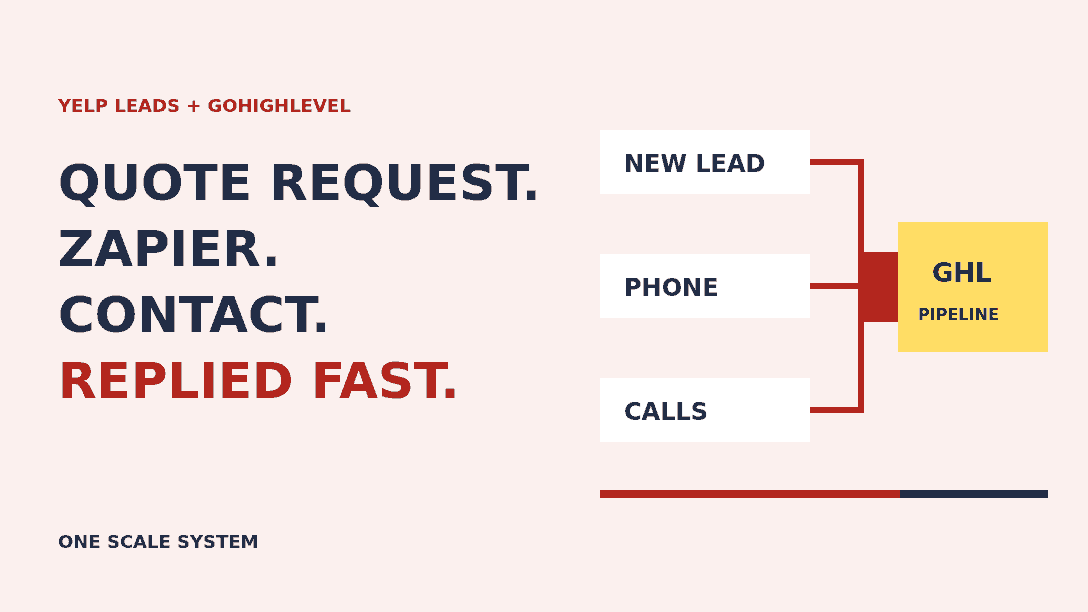
Quick answer: There's no native Yelp leads integration in GoHighLevel. The route that works for most contractors is Yelp's own Yelp Leads app on Zapier: a New Lead trigger feeds HighLevel's LeadConnector Add/Update Contact action, and a Phone Availability trigger adds the customer's phone number when they share it. Yelp covers the Zapier tasks for Yelp Leads steps. Keep the first reply inside Yelp, because that's what Yelp's response time and response rate measure.
Ask a room of home service owners about Yelp leads and you'll hear the same complaint. The quote request lands in the Yelp app, someone answers it from their phone in the truck, and the customer never makes it into the CRM. Or a Zap creates a HighLevel contact with an email address like leadsapi+4f9e…@messaging.yelp.com, no phone number and no conversation, and nobody knows what to do with it.
Searching for a fix doesn't help much. Most of page one is made up of companies selling a Yelp to HighLevel connector. Their products may be fine, but they won't tell you what Yelp gives you for free, what it doesn't give anyone, and where the real limits are. This guide does. Everything below was checked against Yelp's developer documentation, Yelp's Business Help Center, Zapier's help center and HighLevel's support portal on 12 November 2026. Where Yelp's own pages disagree or say nothing, we say so.
It's written for plumbers, roofers, HVAC companies, electricians, movers, cleaners and other service businesses that get leads from Yelp and run their follow-up in HighLevel. First, a quick map. Yelp customers can reach you in four different ways, and each one gets to HighLevel by a different route. Tap through them.
Tap a lead type
How does each kind of Yelp lead reach HighLevel?
Yelp customers contact you in four ways, and each one needs different plumbing. Based on Yelp's documentation as of November 2026.
How it reaches HighLevel
Yelp Leads app on Zapier (New Lead trigger), or a partner tool on the Leads API
Phone number
Only if the customer opts in to calls. It can arrive minutes later, so add the Phone Availability trigger.
Reply from HighLevel?
Yes, through Zapier's Create Message action or a two-way marketplace app. A HighLevel email to the masked address also lands in the Yelp thread.
Set up
Turn on Request a Quote, connect the Yelp Leads app in Zapier, map it to a LeadConnector contact.
What Yelp actually offers for getting leads out
Yelp has several APIs, and the names cause a lot of confusion. Here's what each one does for a contractor who wants leads in a CRM.
The Yelp Leads API (partners only)
This is the real thing: an API that notifies a system about every new Request a Quote lead and lets it read and reply to the conversation. Yelp's Leads API overview is clear about who gets it. Access is limited to Yelp advertising and listing management reseller partners, and those partnerships carry a minimum spend requirement. The same page says lead data is only available for businesses that are currently advertising on Yelp, and that the API doesn't support Message the Business. It only covers Request a Quote.
If you're a single contractor, you won't be calling this API yourself. Agencies can apply through Yelp's Advertising Partner Program, which lists managing and responding to clients' leads from an existing CRM as one of its benefits. Yelp's partner integration guide shows what's involved: OAuth sign-in for each business user, webhook subscriptions that expire after 14 days unless renewed, webhooks that carry only a lead ID (you fetch the message text separately), and a default limit of 500 requests a day. It's a software project, not a setting.
The Yelp Leads app on Zapier (the route for everyone else)
For businesses that aren't reseller partners, Yelp's own documentation recommends its Zapier integration. It runs on the Leads API, so you get the same lead data without the partner contract. The prerequisites Yelp lists are short: a Yelp business account, Request a Quote turned on, and a Zapier account.
The app has four triggers: New Lead, New Consumer Message, New Business Message and Phone Availability. It also has five actions: Create Message (reply in the Yelp thread), Mark Lead as Replied, Mark Lead Message as Read, Get Lead Details and Get Business Details. That's enough to build a proper two-way setup, not just a one-way contact import.
The cost is better than most people expect. Zapier's help center says Yelp covers all Zapier task costs for steps that use the Yelp Leads integration, on any Zapier plan and regardless of whether you advertise with Yelp, with no planned end date at the time of writing. Other steps in the same Zap, like the HighLevel action, still count toward your plan. One caveat: Yelp's API documentation says lead data is only available for advertisers, while its Zapier guide doesn't mention advertising. If your Zap test fails with an access error and you don't run Yelp Ads, raise it with Yelp support before you rebuild anything.
Ready-made connections in other field service tools
Yelp has been adding direct integrations with field service software. Jobber's Yelp Leads integration (updated October 2026) syncs each new lead as a client and a request. Housecall Pro's Yelp integration lets you reply to Yelp leads from its Job Inbox. Yelp's Fall 2026 product release also announced scheduling integrations with ServiceTitan and Housecall Pro, and a lead management integration with Workiz. HighLevel isn't on that list. Users have a Yelp integration request open on its ideas board, but there's no official integration yet, and HighLevel's Reputation tool only connects a Yelp page for reviews.
That gap is why paid connectors exist in the HighLevel App Marketplace. They build a Yelp channel inside Conversations, so your team can read and answer Yelp threads in HighLevel. The ones we looked at run on Yelp's Zapier app or on a Yelp partner key. If two-way replies inside HighLevel are worth a monthly fee to you, compare a couple of them. If not, the free setup below gets you most of the way there.
The Yelp Places API (formerly Fusion) doesn't give you leads
People searching for the "Yelp API" usually land on what Yelp now calls the Yelp Places API, which used to be Yelp Fusion. It returns public business data: search results, business details, ratings and, on the paid tiers, a few review excerpts. It has nothing to do with the leads in your inbox, so you can skip it.
Email notifications
Yelp sends an email for every new quote request. Its help article on responding to quote requests says you can reply to that first email directly, but later replies have to happen in the Yelp inbox or app. You could parse those emails into HighLevel, but there's little reason to now. The Zapier app gives you structured fields, and an email parser breaks the day Yelp changes its template.
Route
Who it's for
Replies from HighLevel
Cost
Yelp Leads app on Zapier, then LeadConnector
Any business with Request a Quote on
Possible with a Create Message Zap
Yelp steps free under Yelp's Zapier offer; HighLevel steps count toward your Zapier plan
HighLevel marketplace app built on Yelp
Teams that want Yelp threads in Conversations
Yes, built in
Monthly app fee
Leads API, built in-house
Yelp reseller partners and agencies
Yes, via the Write Event endpoint
Partner agreement with minimum spend, plus development
Parsed notification emails
Stopgap only
No
Parser plan, if any
What a Yelp lead contains, and what it doesn't
Before you map anything, it helps to know what the data looks like. Yelp's API reference and its Zapier guide describe these fields:
A display name, not a full name. Yelp's own example shows "Jeremy S.", so expect a first name and a last initial.
Project details: the job type, every survey question with its answer, the customer's availability (specific dates, as soon as possible, or flexible), and a ZIP code. There's no street address.
Photos the customer attached. Yelp says attachment links only work for 24 hours after they're fetched, so save anything you need.
A masked email address on messaging.yelp.com. Anything you send to it goes into the Yelp thread, and Yelp's partner guide says it expires 30 days after the lead is created.
A phone number, but only if the customer opted in to calls. More on that below.
A lead ID, which is unique to each Yelp conversation. Yelp tells partners to use it as the primary key.
The phone number problem, and the April 2026 change
Older guides say Yelp hides phone numbers. That's out of date. Yelp's migration guide for unmasked phone numbers says that from 16 April 2026, new leads carry the customer's real number when they've opted in to be contacted by phone. Customers who opted in on or after 1 August 2025 are covered. Customers who didn't opt in still won't have a number.
Timing matters too. Yelp's Zapier guide says the opt-in and phone verification take at least a couple of minutes, so the first New Lead payload often arrives without a number. That's why Yelp tells you to add a Phone Availability trigger. Its guide also notes that, for now, the Zapier app puts the real number in the Temporary Phone Number field until Zapier gets the new phone_number field. Map that field, whatever it's called.
The masked email causes a quieter problem in HighLevel. HighLevel matches duplicates on phone and email, and a masked address is unique to each lead, so a returning customer without a phone number becomes a second contact. Jobber's help article describes the same issue on its side. Our guide to fixing duplicate contacts in GoHighLevel covers the settings and the merge step.
Setting it up: Yelp to HighLevel with Zapier
Here's the setup we use. It takes two Zaps and one HighLevel workflow, plus an optional third Zap that keeps your Yelp response rate honest.
Step 1: Check the basics
Make sure Request a Quote is on for your Yelp page. Yelp's help article on turning messages or quote requests on or off shows where it lives: Inbox, then Settings, then Messaging Leads, on biz.yelp.com (you can't change it in the app). Then connect HighLevel to Zapier with the LeadConnector app, following HighLevel's guide to connecting a sub-account to Zapier.
Step 2: Zap 1, New Lead to a HighLevel contact
Zapier has a ready-made template for this: add or update LeadConnector contacts for new Yelp leads. Use it as the starting point and map the fields like this. Treat the custom field names as suggestions, and check every value against a real test lead before you switch the Zap on.
LeadConnector field          <- Yelp Leads (New Lead)
First name                   <- user display name (e.g. "Jeremy S.")
Phone                        <- Temporary Phone Number / phone_number (if present)
Email                        <- temporary email address (masked)
Postal code                  <- project location postal code
Tags                         <- yelp, yelp-masked-email
Source                       <- Yelp
Custom field: Yelp lead ID   <- lead ID
Custom field: Yelp job       <- job names
Custom field: Yelp details   <- survey answers (formatted field)
Custom field: Yelp reply by  <- temporary email expiry
HighLevel needs an email or a phone number to create a contact. The masked email means it always has one, which is useful, but don't let marketing near it. Yelp's partner guide says masked addresses mustn't be used for marketing or review requests. The yelp-masked-email tag lets you exclude these contacts from campaigns until the customer gives you a real address.
Step 3: Zap 2, Phone Availability to the same contact
Add a second Zap with the Phone Availability trigger and a LeadConnector Add/Update Contact action that writes the phone number to the contact with the same Yelp lead ID. Zapier's template list includes this pairing too. Only once the number is there should HighLevel start anything that calls or texts.
Step 4: The HighLevel workflow
Trigger the workflow when the yelp tag is added, or on Contact Created with a tag filter. Then:
Create an opportunity in your intake pipeline named after the job and ZIP code, with the source set to Yelp. Our guide to lead source tracking in GoHighLevel explains how to keep the first source from being overwritten.
Send an instant internal alert to whoever answers Yelp, with the job, the survey answers and a reminder that the first reply goes in Yelp.
Create a reply task due in 15 minutes during business hours. If it's still open, alert a backup person.
Wait for the phone number. If one arrives, create a call task. If it doesn't, the conversation stays in Yelp.
If the workflow doesn't fire, work through our checklist for a GoHighLevel workflow that isn't triggering. The usual cause is a tag filter that doesn't match the tag the Zap writes, character for character.
Step 5 (optional): Mark the lead as replied when you call
Yelp asks partners to mark a lead as replied when they answer it outside Yelp, by phone or email, and only then. Its Zapier app has a Mark Lead as Replied action for exactly this. A simple version: when a Yelp opportunity moves to your Contacted stage, LeadConnector's Pipeline Stage Changed trigger starts a Zap that marks the Yelp lead as replied, using the lead ID from the custom field. Test that the custom field comes through in the trigger data before you rely on it.
Reply in Yelp first: response time and response rate
Getting the lead into HighLevel is half the job. The other half is the reply, and Yelp scores that publicly. Its help article on how response time and response rate are calculated gives the definitions:
Response time is the median time you took to respond to new messages in the last 30 days, not including After Hours, which Yelp defines as 6pm to 8am every day, weekends included.
Response rate is the percentage of new messages you responded to in the last 30 days, leaving out messages that have only just arrived.
If you answered some other way, such as a phone call, Yelp says you should still mark the message as replied right away.
Yelp's article on responding to quote requests adds two more facts. Businesses that respond in less than a day get four times as many requests as those that wait longer (that's Yelp's internal data from 2017). And if you don't reply within 7 days of a new message and haven't replied to any message in 30 days, Yelp switches messaging off for your page. Both conditions have to be true, so it catches pages that have gone quiet, not a business that missed one lead.
Because it's a median, one slow reply won't hurt you much, but a habit of slow replies will. Try it below: choose how long you take to answer five leads that arrive across a day and see what Yelp would probably show.
Response time simulator
What would Yelp show on your page?
Five quote requests arrive across a day. Choose how long you take to reply to each. Yelp uses the median and leaves out 6pm to 8am.
Response time
20 min
Response rate
100%
Fast and complete. Keep marking leads you called as replied.
Our estimate. Yelp doesn't publish the exact formula, so we assume minutes between 6pm and 8am aren't counted.
Yelp doesn't publish the exact formula, especially for a message that arrives at 5:40pm and gets a reply the next morning, so treat the simulator as an estimate. The pattern holds, though. A team that answers daytime leads within 20 minutes and catches the overnight ones by 8:30am will look fast on Yelp.
The first reply: what Yelp wants to see
Every quote request in Yelp comes with three reply buttons: Send an Estimate and Availability, Need More Information, and Unable to Service. Yelp says these can't be turned off or customized. Since 2025 Yelp has also shown AI-powered response quality badges, which its spring 2025 product release says surface the pros who respond with the most helpful information. In practice, that means a reply that deals with the customer's project, not a line saying "call us".
Use the builder to put together a first reply. Pick the situation, choose whether you're sending it in the Yelp thread or to the masked email, and copy the result.
Build your first reply
Write a Yelp reply that follows the rules
Pick the situation and how you'll send it. Fill in the brackets before you send. It's an example to adapt, not a script Yelp has approved.
Thanks for the details on your [job type] in [ZIP]. Based on what you've described, most jobs like this run [$low to $high]. The final price depends on what we find on site. I can come out [two time options]. Does that work for you? If a quick call is easier, share the best number to reach you and I'll call when it suits you.

[Your name], [Business name]
✓ Answers the request, so it counts toward your response rate
✓ Uses the customer's own project details and gives them a next step
✓ Asking for a number is fine. Yelp leaves it up to the customer whether to share it
✓ Sent in the Yelp thread, where normal formatting works
Yelp's rules on contacting leads outside Yelp
Contractors often worry that calling a Yelp lead breaks a rule. It doesn't. Yelp's Zapier guide answers the question directly: you can ask the customer for their real contact details, and it's up to them whether to share. These are the rules that do apply:
Don't market to the masked email. Yelp says masked addresses shouldn't be used for marketing or review requests. Keep anything you send there to plain text, because HTML, links, images and attachments break Yelp's parser.
Pick one channel per conversation. A message sent to the masked email also shows up in the Yelp thread, so sending the same thing both ways creates duplicates. The Leads API also blocks the same message being sent to the same lead twice within an hour.
Mark leads as replied only when you really replied. Yelp tells partners never to mark a lead as replied if nobody contacted the customer outside Yelp.
Texting needs A2P. A phone number from Yelp is consent to be contacted about that request. It isn't a sign-up for your marketing texts. HighLevel will only send from a local number with an approved A2P 10DLC campaign, so read our A2P 10DLC guide for contractors before you add a text step.
One thing is changing right now. Yelp's Fall 2026 release announced Smart Lead Reply, an AI agent that answers new Request a Quote leads instantly for $30 a month in eligible categories, and said it would roll out the following month. If you switch it on and also have Zapier send an instant Create Message reply, the customer gets two greetings from the same company. Choose one to send the first message, as you would with Angi's or Thumbtack's built-in auto-replies.
Calls from Yelp: the lead type most setups miss
Plenty of Yelp customers never send a quote request. They tap Call. Yelp Ads advertisers can turn on free call reporting, which replaces the number on the Yelp page with one or more forwarding numbers that ring the business's main line. In Yelp you see the date, the duration and a partial number for each call. Yelp says call reporting doesn't support texts, and if you pause your ads, the forwarding number comes off your page within 24 to 48 hours, although old forwarding numbers keep working for 90 days.
None of that call data reaches HighLevel. The simplest way to capture Yelp calls is to buy a dedicated HighLevel number for Yelp and list it on your Yelp page. HighLevel's Call Details trigger can filter on the phone number involved, so every call to that number can be tagged yelp, given an opportunity and, if it's missed, sent a text back once A2P is approved. We haven't confirmed how Yelp's forwarding numbers pass caller ID through, so make a test call from a mobile and check what lands in HighLevel. Our explainer on missed call text back covers the follow-up side.
Is Yelp worth it next to Angi, Thumbtack and LSA?
Once every source flows into one pipeline, you can finally compare them properly. Yelp's Request a Quote and Nearby Jobs work differently from the others. Request a Quote leads come to you directly, while Nearby Jobs puts open requests in a feed where you pay only for the ones you choose to answer. Angi charges per lead and shares each request with up to five pros. Thumbtack charges for direct leads when the customer contacts you and for Opportunities only if the customer responds to your quote. Google Local Services Ads charge per lead, with credits for leads Google agrees are invalid. Cost per lead doesn't tell you much across models that different. Cost per booked job does.
Put in last month's numbers for each source you use. The calculator doesn't fill anything in for you, because someone else's averages would only mislead you.
Your numbers only
Which lead source costs least per booked job?
Enter last month's spend, leads and booked jobs for each source you use. Leave a row empty to skip it. Nothing is saved or sent.
Fill in spend and leads for at least one source to compare.
A hypothetical example: a two-van plumbing company
Here's how this could look for a hypothetical plumber with two vans and an office manager. At 2:10pm a homeowner sends a Request a Quote for a leaking shower valve, with two photos. Zap 1 creates a HighLevel contact called "Dana R." with a masked email, the job, the survey answers and the Yelp lead ID. The office manager gets an alert, opens the Yelp link and sends a Need More Information reply asking whether the leak is at the handle or the spout, with two visit times. Four minutes later the Phone Availability Zap adds Dana's number to the contact. The plumber calls at 2:30pm and books the visit. The office manager moves the opportunity to Contacted, the third Zap marks the Yelp lead as replied, and the response time on the Yelp page stays under 20 minutes. At the end of the month, the Yelp row in the comparison tool uses real booked jobs, not guesses.
Common mistakes we see
Waiting for HighLevel to ship a native Yelp integration. The Yelp Leads Zapier app works today.
Mapping only the first New Lead payload and missing the phone number that arrives a few minutes later.
Sending email campaigns or review requests to the masked Yelp address.
Calling the customer and forgetting to mark the lead as replied, which drags down your response rate.
Running Yelp's Smart Lead Reply and an instant Zapier reply at the same time.
Pasting links into replies sent to the masked email, which breaks Yelp's parser.
Leaving your main office number on the Yelp page, so Yelp calls can't be told apart from other calls in HighLevel.
Where to start this week
If you do one thing, build Zap 1 from Zapier's template today and send yourself a test lead. Then add the Phone Availability Zap and the HighLevel workflow before the next busy Monday. The response time habit matters more than any automation, so decide who answers Yelp during the day and who covers 8am. Our contractor lead handoff checklist helps you choose the owner and the backup.
Not for leads, at least not natively. HighLevel's Reputation tool can connect a Yelp page to monitor reviews, but there's no built-in Yelp leads channel, and the request is still open on HighLevel's ideas board. Most businesses connect the two with Yelp's own Yelp Leads app on Zapier, which creates or updates a HighLevel contact for every Request a Quote lead. Paid marketplace apps add two-way replies on top.
Can I get the Yelp Leads API for my business?
Probably not directly. Yelp says Leads API access is limited to its advertising and listing management reseller partners, with a minimum spend requirement, and lead data is only available for businesses that are currently advertising. For everyone else, Yelp recommends its Zapier integration, which uses the same Leads API underneath.
Do Yelp leads include the customer's phone number?
Only when the customer opts in to be contacted by phone. Since 16 April 2026 Yelp passes the real number for those leads instead of a temporary one. Opting in takes a few minutes, so the number often arrives after the lead itself. Use Zapier's Phone Availability trigger to add it to the HighLevel contact when it shows up.
Is it against Yelp's rules to call or text a Yelp lead outside Yelp?
No. Yelp's Zapier guide says you can ask the customer for their real contact details, and it's up to them whether to share. Two rules apply. Don't send marketing or review requests to the masked Yelp email address, and if you reply by phone or email, mark the lead as replied in Yelp so your response rate stays accurate. Texts from HighLevel also need an approved A2P 10DLC registration.
How does Yelp calculate response time?
Yelp says response time is the median time you took to respond to new messages in the last 30 days, not including After Hours, which it defines as 6pm to 8am every day. Response rate is the percentage of new messages you replied to in the last 30 days. Both appear on your Yelp page, and if you don't reply within 7 days and haven't replied to any message in 30 days, Yelp turns messaging off.
Can I reply to Yelp messages from GoHighLevel?
Yes, with some setup. Yelp's Zapier app has a Create Message action that posts a reply into the Yelp thread, so a HighLevel workflow can send a message back through Zapier. An email sent to the lead's masked Yelp address also lands in the thread for up to 30 days. Paid HighLevel marketplace apps package this into a Yelp channel in Conversations.
Muhammad Asif Khokhar
Founder & CEO, One Scale System
Part of the One Scale System team, helping small and local businesses grow with websites, CRM, automation, and digital marketing done for you.
Ready to grow your business?
Get a free professional website and a lead system that captures every customer — built and run for you.

 Muhammad Asif Khokhar·Founder & CEO, One Scale System·Published ·19 min read