How to Get Angi Leads Into GoHighLevel: Webhook Setup, Field Mapping and Follow-Up
No Angi app in GoHighLevel? Angi pushes every lead to a webhook. How to set it up, map the fields Angi sends, stop duplicates and call within 15 minutes.
Muhammad Asif Khokhar·Founder & CEO, One Scale System·Published ·15 min read
Quick answer: There's no ready-made Angi app in GoHighLevel, but Angi will push every new lead to a webhook as JSON. Create a webhook URL (Zapier's Catch Hook, which Angi documents, or a HighLevel Inbound Webhook trigger), email it with your Angi company ID to crmintegrations@angi.com, then map the name, phone, email, task and lead ID into a HighLevel contact. Add a duplicate guard on the Angi lead ID and an instant alert to whoever calls the lead.
A contractor posted a simple question on Reddit's GoHighLevel forum: how do you pull Angi leads into GHL? The replies said "use an inbound webhook" and "map the data to a contact". That's correct, and it's also where most people get stuck. Where does the webhook URL go? Angi has no box for it in the app. What does the data look like? And why did the same lead show up twice?
This guide answers those questions with what Angi publishes today, in November 2026. It's for roofers, plumbers, HVAC companies, remodelers and other home service owners who pay for Angi leads (some of you still call it HomeAdvisor) and run their follow-up in HighLevel. We'll cover the setup options, the exact fields Angi sends, how to map them, and the workflow that turns a paid lead into a booked estimate.
Start with the chooser. Tick whatever is true for your business and it ranks the four setups for you.
Tick what's true
Which Angi route fits your business?
Each tick re-ranks the four ways to get Angi leads into HighLevel. Nothing is saved or sent.
Best fit: Zapier Catch Hook, then HighLevel
The route Angi documents. Zapier replies with the exact success message Angi's API expects, so retries and duplicates are less likely.
1. Zapier Catch Hook, then HighLevel
2. HighLevel Inbound Webhook directly
3. Partner tool plus a copy for HighLevel
4. Parse lead emails for now
What Angi actually offers for getting leads out
Angi doesn't offer a self-serve API that you log in to and pull leads from. Everything starts on Angi's side and is pushed to you. There are four ways to receive that push.
1. Partner tiles in your Angi account
Angi's guide to setting up your CRM integration says some CRMs appear as tiles under My business, then Integrations, where you click Connect. Angi's help center has a walkthrough for connecting Jobber, which creates a client and request in Jobber for every new lead, and separate instructions for ServiceTitan. We haven't seen HighLevel listed as a tile, and HighLevel doesn't publish an Angi integration either. If you already use one of the partner tools, that's useful, and we'll come back to it.
2. The Angi lead webhook (the Lead Integration API)
For any CRM without a tile, Angi sends leads to a URL you provide. Angi's Lead Integration API reference describes it as event-based: each new lead is posted to your endpoint in JSON, in real time. A few details in that document matter for HighLevel users:
Security is optional. If you give Angi an API key, it sends it in an x-api-key header (up to 160 characters). That's the only authentication method Angi supports.
Your endpoint must answer with HTTP 200 and a JSON body whose status says success, ideally within 2 to 5 seconds.
If Angi doesn't get that answer, it retries the lead up to 3 times, 15 minutes apart. Retries are why one lead can trigger your workflow more than once.
Angi doesn't send a User-Agent header, so a strict firewall in front of a custom endpoint may block it. Zapier, Make and HighLevel URLs don't have that problem.
Setup isn't a form in the app. Angi asks you to email crmintegrations@angi.com with your Angi company ID, the email address for the connection, your webhook URL, a key if your endpoint requires one, and confirmation that your endpoint accepts JSON. Your company ID is next to your city and state when you click your company name on the Angi for Pros site. A few CRM vendors also describe a self-serve webhook configuration page with a Send Test Lead button inside Angi's business center for Angi Ads accounts. Angi's own help center doesn't mention it, so treat it as something to ask about, not something to count on.
3. Zapier as the receiver
Angi has its own article on creating a Zapier webhook for lead integration. It suggests this route if the standard setup didn't work or you need to send leads to more than one CRM. You create a Zap with Webhooks by Zapier as the trigger, choose Catch Hook, send the URL to Angi's integration team, and they can fire a test lead as long as your account has received at least one lead in the last 30 days. Webhooks by Zapier needs a paid Zapier plan.
4. Email notifications as a fallback
Angi's leads FAQ says you can be notified of new leads by app push, text, email or phone call. Email can be parsed into HighLevel with an email parser, but it's the weakest route. The format can change without notice, and the email may not carry every field the webhook does. We only use it while waiting for Angi to switch the webhook on.
Route
Who sets it up
Duplicate risk
Cost
Zapier Catch Hook, then HighLevel
You build the Zap, Angi adds the URL
Low. Zapier replies the way Angi expects
Paid Zapier plan plus HighLevel executions
HighLevel Inbound Webhook directly
You build the workflow, Angi adds the URL
Unconfirmed. Watch for repeat deliveries
HighLevel premium workflow executions
Partner CRM tile, then a webhook copy to HighLevel
Click Connect in Angi, then email for the webhook
Low on the CRM side
Your CRM plan plus the webhook route
Parsed lead emails
Mail forwarding plus a parser
Medium. Format changes break parsing
Parser plan, if any
Zapier or HighLevel's own webhook: the one detail that decides it
Both work in principle, because both give you a URL that accepts JSON. The difference is the reply. Angi's API reference says it expects a JSON reply with a status field indicating success, and gives { "status": "success" } as the minimal example. It adds that a missing status field, or a status not set to "success", may be treated as a failed delivery.
Zapier's Catch Hook replies with exactly that: a JSON body containing "status": "success". HighLevel's documentation shows its Inbound Webhook trigger replying with HTTP 200 and "status": "Success: request sent to trigger execution server". That's a success in plain English, but it isn't the exact word in Angi's example. We haven't been able to confirm whether Angi's system accepts it. If it doesn't, Angi would treat each lead as failed and retry, and your workflow would run up to four times per lead.
So our working advice is this. If you want the setup Angi documents and supports, use Zapier. If you want to skip the extra subscription, go direct to HighLevel, but keep the duplicate guard below and check the first few leads for repeats about 15 minutes apart. If you see them, put Zapier or Make in the middle. Make's custom webhook replies "Accepted" as plain text by default, so add a Webhook response module that returns status 200 and the JSON body {"status":"success"}.
What's inside an Angi lead
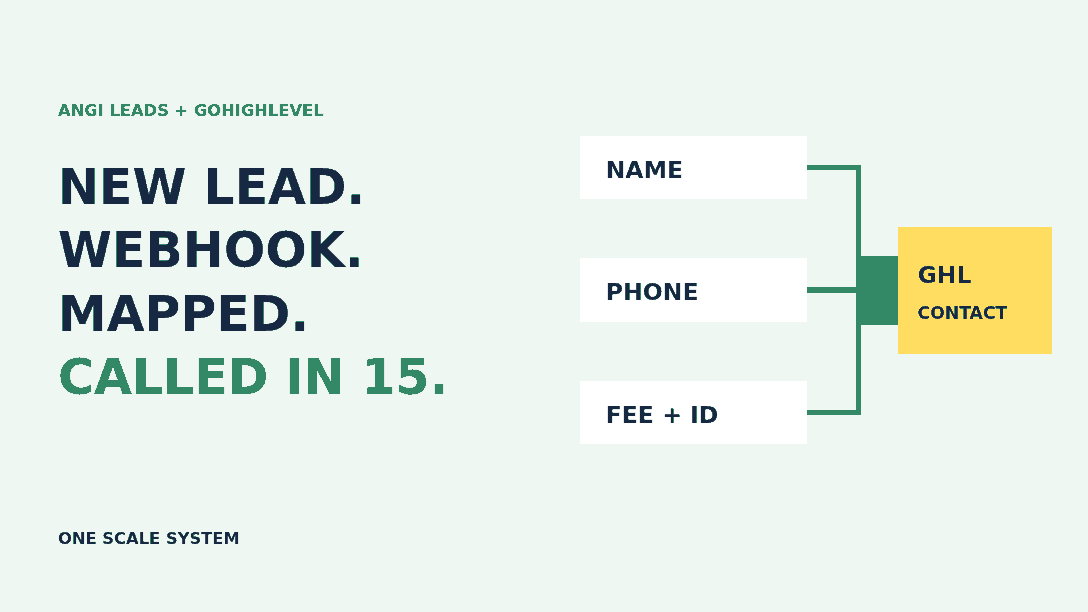
This is the part the Reddit thread was really asking about. Angi's API reference lists every field and whether it's always included. The always-included fields are the homeowner's full name, address, city, state, ZIP code, primary phone and email, plus the service request ID (srOid), the unique lead ID (leadOid), the lead fee, the task name, the homeowner's comments, a match type, a lead description and your company name on Angi. First name, last name, phone extensions, a secondary phone, the lead source, a TrustedForm certificate URL and the interview (the questions Angi asked the homeowner, with their answers) only arrive sometimes.
Two things in that list are easy to miss. First, Angi sends the lead fee on every lead. Store it, and you can report cost per booked job straight from HighLevel. Second, first and last name aren't guaranteed, but the full name is. Map the full name as a fallback, or split it in Zapier, so a contact never ends up nameless.
Tap a field below to see where we'd put it in HighLevel and why. The sample values come from the example in Angi's documentation, not from a real homeowner.
Field mapper
Where does each Angi field go in HighLevel?
Tap a field from Angi's lead webhook. Sample values come from the example in Angi's documentation, not a real homeowner.
"name": Jane Doe
Always sent
→ Contact full name
Always sent, unlike firstName and lastName. Use it as the fallback so no contact arrives nameless.
Reviewed 1 of 10 fields
A mapping you can copy
Here's how the Create/Update Contact action looks in our builds. Treat it as illustrative. The field names come from Angi's reference, but always check them against your own test lead before you publish the workflow.
Contact full name        <- name   (fallback if firstName is empty)
Contact first name       <- firstName
Contact last name        <- lastName
Contact phone            <- primaryPhone
Contact email            <- email
Contact address/city/ZIP <- address, city, stateProvince, postalCode
Custom field: Angi task  <- taskName
Custom field: Angi notes <- comments
Custom field: Angi fee   <- fee
Custom field: Angi lead  <- leadOid
Custom field: Angi SR    <- srOid
HighLevel needs a phone number or an email to find or create a contact. Angi sends both, so the contact step rarely fails. The interview arrives as a list of questions and answers. HighLevel's help page says list values can be used in text fields through its list formatter, which is fine for an internal note. If you want each answer in its own custom field, flatten the list in Zapier first.
The setup, step by step
Step 1: Build the receiving end
For the Zapier route, create a Zap with Webhooks by Zapier, Catch Hook, and copy the URL. Your Zap's action will send the data to a HighLevel Inbound Webhook workflow, or use HighLevel's LeadConnector app in Zapier to create the contact. For the direct route, create a HighLevel workflow with the Inbound Webhook trigger and copy that URL instead. HighLevel's Inbound Webhook is a premium trigger. Each sub-account gets 100 free executions once premium features are enabled, and runs after that are charged, so check how your agency rebills.
Step 2: Email Angi
Send crmintegrations@angi.com your company ID, the email address for the connection, the webhook URL, "no key" (neither Zapier nor HighLevel URLs use Angi's header key), and confirmation that you accept JSON. Ask them to send a test lead. Angi says it can only do that if your account has had a lead in the last 30 days.
Step 3: Map the test lead
When the test arrives, save it as the mapping reference in HighLevel (or in Zapier) and map the fields above. Then look at the values, not just the names. Is the phone ten digits with no country code? Is the fee a plain number? Fix formats now, while there's one test record and not fifty live ones.
Step 4: Add the duplicate guard
Save leadOid in a custom field. At the top of the workflow, add an If/Else that stops if the contact already holds the same Angi lead ID. HighLevel will usually match the existing contact by phone or email, so you won't get two contacts, but you can still get two workflow runs, two alerts and two texts. Our post on fixing duplicate contacts in GoHighLevel covers the contact-level settings. If the workflow doesn't fire at all, work through our checklist for a GoHighLevel workflow that isn't triggering.
After the lead lands: the first 15 minutes
Angi tells pros it matches each homeowner request with no more than five pros, and that you're charged for a lead whether or not you open it. Its advice on making the most of your leads is to call each one within 15 minutes. That's the job the workflow is really there for.
Tag the contact angi and set the lead source, so Angi leads don't blur into website or Google leads. Our guide to lead source tracking in GoHighLevel shows how to keep the first source.
Create an opportunity in your intake pipeline named with the task and ZIP code, with the lead fee as a custom field.
Send an instant SMS or app alert to the named owner, with the homeowner's name, task, comments and a tap-to-call number.
Create a call task due in 15 minutes. If it's still open, alert the backup person.
Log every call attempt with a timestamp. You'll need that if you ever request a credit.
Should HighLevel text the homeowner straight away? Check what Angi is already doing first. Angi has automated messages that can greet a new lead inside Angi within five minutes. They're off by default. If you turn those on and also send an instant text from HighLevel, the homeowner gets two hellos from the same company. Pick one to own the first touch. We usually let a person call first and send one text from HighLevel only if the call isn't answered, saying who you are and why you called.
Who calls, and who covers evenings, matters more than any automation. Our contractor lead handoff checklist helps you choose the owner and the backup.
Know what a booked Angi job costs you
Angi says lead fees change with the task, the homeowner's location and demand. You set a monthly budget, and only leads you receive automatically count toward it. Opportunities you accept by hand are charged on top. Because the webhook carries the fee on every lead, you can add it up in HighLevel instead of digging through invoices.
Put your own numbers into the calculator. It takes credits into account and shows the booking rate you need just to cover your lead spend. Nothing is filled in for you, because averages from other trades would mislead you.
Your numbers only
Is Angi paying for itself?
Use your Angi invoices (or the fee field stored in HighLevel) and your job records. No averages are filled in.
Bad leads: what Angi will credit, and how HighLevel helps
Angi's article on how to request a lead credit, updated in August 2026, lists five reasons it may credit a lead after investigating: invalid contact info, a location outside your ZIP codes, a service that doesn't match your profile, a duplicate charge for the same homeowner within 45 days, or a charge while your leads were paused. It also lists conditions. The lead must be under 45 days old, you should have tried to call the homeowner within 24 hours, your account must be in good standing, and annual subscription accounts can report leads but don't get credits. Credits go toward future leads and expire after six months.
Angi is just as clear about what it won't credit: a homeowner who doesn't answer, hires someone else first, decides not to go ahead, is collecting quotes, or turns down your quote. Those are priced into the lead fee.
This is where the HighLevel record earns its keep. A timestamped call log proves you tried within 24 hours, and the stored lead ID and fee make a duplicate charge easy to spot. Run any doubtful lead through the checker below before you file a request. Angi makes the final call, so the checker only tells you whether a request fits the published rules.
Before you file
Does this lead fit Angi's credit rules?
Checks your answers against Angi's published credit guidelines (August 2026). Angi investigates and makes the final decision.
Answer all five to see the result.
A hypothetical example: a three-truck roofing company
Here's how this could play out for a hypothetical roofer with three crews and one estimator. A homeowner asks Angi for a roof leak repair at 7:40 p.m. Angi posts the lead to the company's Zapier hook, Zapier passes it to HighLevel, and HighLevel creates a contact tagged angi with an opportunity called "Roof leak repair, 80210" and the $38 fee in a custom field (an illustrative figure). The estimator's phone buzzes with the homeowner's comments and a call button. He calls at 7:52 p.m., gets voicemail, and HighLevel sends one text saying who he is and why he called. The homeowner replies the next morning, and the inspection is booked. Two weeks later another lead arrives with a disconnected number. The call log shows an attempt eight minutes after arrival, so the office files a credit request with the date and time ready. Nothing fancy, just a record for every dollar spent.
Common mistakes we see
Waiting for HighLevel to release an Angi app. The webhook works today.
Mapping only firstName. It isn't always sent, so some contacts arrive without a name.
Skipping the duplicate guard, then texting a homeowner twice because Angi retried a delivery.
Running Angi's automated message and a HighLevel instant text at the same time.
Not storing the fee, then guessing at cost per job at the end of the month.
Forgetting the weekly count. Compare new leads in the Angi Leads tab with angi-tagged contacts in HighLevel every Monday. If they differ, email crmintegrations@angi.com with your company ID and webhook URL.
Where to start this week
If you do one thing, pick a route in the chooser above and send Angi the email today. DripJobs' help center says Angi's team typically replies within 2 to 3 business days, so build the workflow while you wait. Add the duplicate guard and the 15-minute call task before the first live lead arrives.
Not with a ready-made connector. HighLevel isn't one of the partner tiles we've seen in Angi's Integrations tab, and HighLevel has no Angi app. You connect them with Angi's lead webhook: Angi posts each new lead as JSON to a URL you give it, either a Zapier or Make webhook or a HighLevel Inbound Webhook trigger, and a HighLevel workflow turns it into a contact.
How do I send Angi leads to a webhook?
Gather your Angi company ID, a notification email, your webhook URL, an API key if your endpoint needs one, and confirmation that your endpoint accepts JSON. Email those to crmintegrations@angi.com and Angi's team adds the feed to your account. Angi can send a test lead if the account has had at least one lead in the last 30 days.
Should I use Zapier or the HighLevel webhook directly?
Zapier is the route Angi documents, and Zapier's Catch Hook replies with the exact success response Angi's API asks for. A HighLevel Inbound Webhook URL also works for many setups and saves a subscription, but its reply wording differs from Angi's spec, so watch the first leads for repeat deliveries and keep a duplicate guard on the Angi lead ID.
What information does Angi send with each lead?
Angi's Lead Integration API lists the homeowner's full name, address, city, state, ZIP, primary phone and email as always included, along with the service request ID, lead ID, lead fee, task name and the homeowner's comments. First and last name, secondary phone, lead source and the question-and-answer interview are only sometimes included.
Can I get a credit for a bad Angi lead?
Sometimes. Angi's help center says it may credit leads with invalid contact info, a location outside your ZIP codes, a service mismatch, a duplicate charge within 45 days, or a charge while leads were paused. The lead must be under 45 days old, you should have tried to call within 24 hours, and annual subscription accounts don't get credits. Credits apply to future leads and expire after six months.
Can I reply to Angi messages from GoHighLevel?
No. The lead feed is one-way: Angi sends the lead to you and nothing goes back. Messages sent inside Angi stay in Angi. You can call or text the homeowner from HighLevel using the phone number in the lead, but replies in the Angi inbox still need someone watching them.
Muhammad Asif Khokhar
Founder & CEO, One Scale System
Part of the One Scale System team, helping small and local businesses grow with websites, CRM, automation, and digital marketing done for you.
Ready to grow your business?
Get a free professional website and a lead system that captures every customer — built and run for you.

 Muhammad Asif Khokhar·Founder & CEO, One Scale System·Published ·15 min read