Thumbtack GoHighLevel Integration: 3 Ways to Get Thumbtack Leads Into HighLevel
No native Thumbtack integration in GoHighLevel? Send Thumbtack leads to a HighLevel workflow with a free webhook, map the fields and reply faster. Setup steps.
Muhammad Asif Khokhar·Founder & CEO, One Scale System·Published ·15 min read
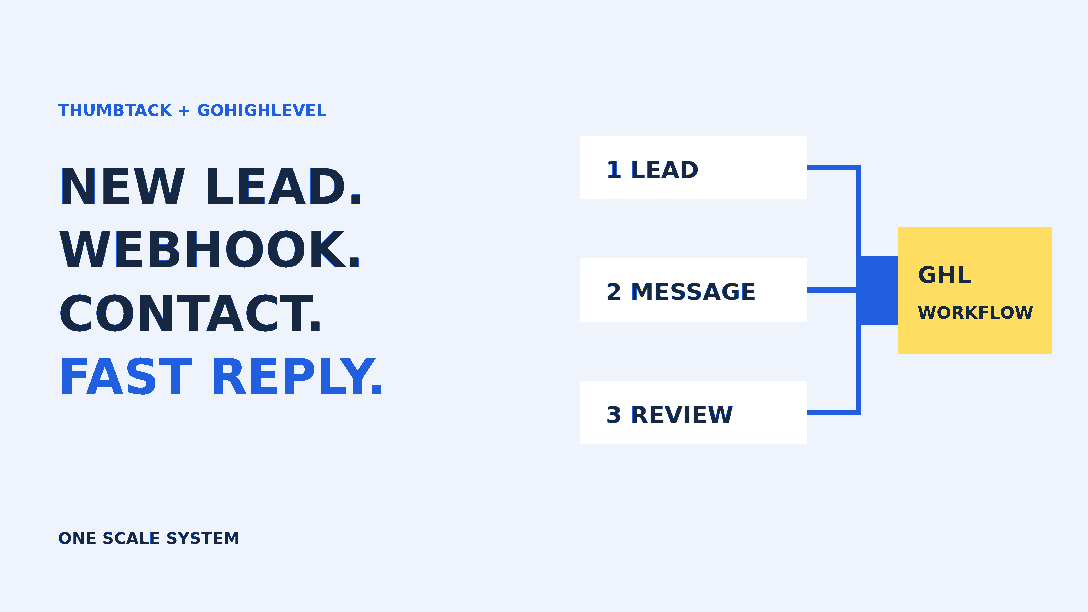
Quick answer: GoHighLevel has no ready-made Thumbtack integration, and Thumbtack doesn't list HighLevel as a partner. The simplest way to connect them is Thumbtack's free webhook. Create a HighLevel workflow with an Inbound Webhook trigger, paste its URL into Thumbtack under Apps > Manage webhooks, send a test lead and map the customer's name, phone and job into a contact. Put Zapier or Make in the middle if the data needs cleaning up first. Replies still happen in Thumbtack unless you build a two-way connection on Thumbtack's partner API.
If you run a home service business on Thumbtack and HighLevel, you've probably searched for the integration and found the same thing we did: feature requests. There are two Thumbtack requests on HighLevel's ideas board. On the most recent one, in September 2026, a HighLevel sales rep confirmed the integration is "not available as a ready-made solution yet". Meanwhile the leads keep coming into the Thumbtack app, and someone on your team copies names and numbers into the CRM when they get a minute. Or they don't.
The good news is you don't need to wait for HighLevel. Thumbtack added self-serve webhooks that send every new lead to a URL you choose, and HighLevel workflows can catch exactly that kind of request. You can connect them in an afternoon with no code.
This guide covers the three realistic setups, what each one can and can't do, and the follow-up workflow that makes the connection worth building. It's written for contractors, cleaners, movers, handymen and other home service owners who already buy Thumbtack leads and use HighLevel, or are about to.
Not sure which setup you need? Answer the four questions below first.
4 questions
Which Thumbtack setup fits your business?
Answer four questions to get a suggested setup. Nothing is saved or sent anywhere.
Answered 0 of 4. Your suggestion appears here.
What Thumbtack actually lets you connect
Thumbtack gives you three ways to get leads out of its app. The first is a partner tool. Its help article on linking partner platforms lists tools such as Housecall Pro, Jobber, Workiz, ServiceTitan, Podium and FieldPulse. HighLevel isn't on that list. Thumbtack also says only GoSite, Housecall Pro and Workiz offer two-way messaging today. Every other partner is one-way.
The second is the self-serve webhook. According to Thumbtack's guide on how to create a webhook, it's free, you set it up in a web browser (not the app), and you choose whether to receive leads, messages, reviews or all three. Each webhook belongs to one business profile, so two profiles need two webhooks. It's also strictly one-way: Thumbtack sends data out, but your tool can't send anything back.
The third is the partner API, which is what software companies use to build integrations like Housecall Pro's. That route needs approved partner access and a developer.
Option
What reaches HighLevel
Reply from HighLevel?
Effort and cost
Direct webhook to a HighLevel workflow
New leads, and messages or reviews if you choose them
No, reply in Thumbtack
About an hour. HighLevel premium workflow executions
Webhook through Zapier or Make
The same data, cleaned up and routed
No, reply in Thumbtack
A few hours. A paid Zapier or Make plan plus HighLevel executions
Custom build on Thumbtack's partner API
Leads, messages and job status
Yes, if you build it
A developer project, with partner access approved first
One detail matters for every option. Thumbtack says it provides the customer's name and phone number on all leads but doesn't provide email addresses. Plan your HighLevel contact around the phone number.
Reviews are separate. HighLevel's Reputation tool added Thumbtack to its list of supported review platforms, under Reputation, then Settings, then Integrations. You don't need the webhook for reviews unless you want them in a workflow.
Before you build anything: a 10-minute prep
Count your Thumbtack leads for the last 30 days, split into leads and Opportunities. You'll test the new setup against this number.
List every Thumbtack business profile you run. Each one needs its own webhook.
Decide who replies to a Thumbtack lead during working hours and who covers evenings and weekends. Write down one name for each.
Check that Workflow Premium Features are turned on for the HighLevel sub-account. Agency owners do this in the agency settings; if you're on a single location, ask your HighLevel provider.
If you plan to text these customers from HighLevel, confirm the sub-account's A2P 10DLC registration is approved.
The names in step 3 matter more than any automation. A webhook can alert someone within seconds, but a person still has to answer. Our contractor lead handoff checklist covers how to choose the owner and the backup.
Method 1: Send Thumbtack's webhook straight to a HighLevel workflow
This is where we start for most businesses. It has the fewest moving parts and no extra subscription.
Step 1: Create the Inbound Webhook workflow
In HighLevel, create a new workflow and choose Inbound Webhook as the trigger. HighLevel generates a unique URL for that trigger. Copy it. HighLevel's guide to the Inbound Webhook premium trigger explains the billing. It's a premium trigger, each sub-account gets 100 free executions once premium features are enabled, and runs after that are charged. One Thumbtack lead is roughly one execution, so check how your agency rebills before you go live.
Step 2: Create the webhook in Thumbtack
Log in to Thumbtack on a web browser, select Apps at the top, then Manage webhooks. Pick the business profile if you have more than one, select Create webhook, paste the HighLevel URL and choose the data you want. Start with leads only. You can add messages later once the lead flow works.
Thumbtack's help page suggests leaving the authorization type as None unless you know what it does. That's fine for getting started, but it's worth knowing what Thumbtack's developer notes on managing webhooks say. Requests aren't signed, and Thumbtack doesn't publish a list of IP addresses. Anyone who learns your HighLevel webhook URL could post to it, so treat that URL like a password and don't paste it in shared docs.
Step 3: Send a test lead and map the fields
Back on the webhook in Thumbtack, select Test this webhook. Thumbtack sends a sample tagged as a "test lead" to every enabled webhook on that profile, and you can see it under the Recent deliveries tab. In HighLevel, open the trigger, find the request and save it as the sample, then map the fields in the Create/Update Contact action that HighLevel adds next. HighLevel needs a phone number or an email to create or match a contact, and Thumbtack sends a phone number, so map that first.
Thumbtack's developer docs describe a lead as having customer details (first name, last name, phone), the request (category, description, location and the answers to Thumbtack's questions) and a lead ID called the negotiation ID. The mapping below is how we'd expect it to look. It's illustrative, so match it to the field names in your own test payload, not to this list.
Contact first name     <- data.customer.firstName
Contact last name      <- data.customer.lastName
Contact phone          <- data.customer.phone
Custom field: TT job   <- data.request.category.name
Custom field: TT notes <- data.request.description
Custom field: TT ZIP   <- data.request.location.zipCode
Custom field: TT lead  <- data.negotiationID
We can't promise every category sends the same fields, and we haven't seen Thumbtack's test lead for every trade. Check the phone format too. If it doesn't arrive in a format HighLevel accepts, that's a good reason to use Method 2.
Step 4: Guard against duplicate runs
Thumbtack says the same event can arrive more than once, and it recommends using the ID in the payload to skip duplicates. HighLevel will usually match the existing contact by phone, so you won't get two contacts. You can still get two workflow runs, which means two alerts and possibly two texts to the customer. Save the negotiation ID in a custom field. Then, at the start of the workflow, add an If/Else that stops if the contact already holds that same ID. Our post on fixing duplicate contacts in GoHighLevel covers the contact-level settings.
If the workflow never fires at all, the problem is usually the trigger, a filter or the workflow still being in draft. Our guide to a GoHighLevel workflow that isn't triggering walks through the checks in order.
Method 2: Put Zapier or Make in the middle
Use a middle tool when the data needs work before it reaches HighLevel. Typical jobs are splitting a full name, reformatting phone numbers, sending different services to different pipelines, or copying each lead into a sheet as well as the CRM.
Thumbtack has its own walkthrough for setting up a Zapier webhook. You create a Zap with Webhooks by Zapier as the trigger, choose Catch Hook (not Catch Raw Hook), copy the URL into Thumbtack and send a test lead. Note that Thumbtack isn't an official Zapier app, and Webhooks by Zapier needs a paid Zapier plan. Make and Pabbly have similar custom webhook modules.
For the last step, send the cleaned data to HighLevel. The simplest route is a POST from the middle tool to a HighLevel Inbound Webhook URL, using the same workflow you'd build in Method 1. HighLevel only accepts JSON for that trigger, and its docs say keys can't contain spaces, so use names like first_name or jobType.
The trade-off is one more account to pay for and one more place for something to break. If Method 1 maps cleanly, you probably don't need it.
Method 3: Two-way messaging through Thumbtack's API
This is the only way to read and answer Thumbtack messages inside HighLevel conversations. Thumbtack's partner API uses OAuth 2.0. Once a business authorizes your app, you can create lead and message webhooks for it, fetch a lead's full details, post a message into the lead's thread and report job status. The Thumbtack leads API docs say status updates such as appointment scheduled, job complete and invoice paid feed the pro's Performance Dashboard, where completed and paid jobs count as hires.
There are limits to plan for. Thumbtack sends the new-lead event once and doesn't send webhooks for later status changes or refunds, so your code has to check recent leads on a schedule. Access also has to be requested and approved, and someone has to maintain the code after it ships. A public GitHub project from one developer shows what a production build looks like: a small service routing Thumbtack, Yelp and Housecall Pro leads into HighLevel, with a separate token service. It's a useful reference for scope, not a product we're recommending.
For a single-location contractor, this is usually more than the job needs. For an agency running many Thumbtack accounts, or a company with a full-time sales desk, it can be worth it.
What happens after the lead lands
Getting the lead into HighLevel is only half the job. The other half is making sure a person replies quickly. Thumbtack's help center says responding quickly helps your rank in customers' search results. Its Pro Rewards program has measured response rate as the share of leads answered within one hour, between 8 a.m. and 8 p.m. local time. Check the rewards page in your account for the current rules.
Here's the workflow we build after the trigger and the duplicate check:
Tag the contact thumbtack and set the lead source, so it doesn't get mixed up with website or Google leads.
Create an opportunity in your intake pipeline with the job type and ZIP code in the name.
Send an internal SMS or app notification to the named owner with the job details and a reminder to reply in Thumbtack.
Create a task due in 15 minutes. If it's still open, alert the backup person.
After hours, alert the on-call person or set the task for first thing in the morning.
Should you text the customer from HighLevel as well? You can, but think it through. Thumbtack's partner page says replies through a messaging integration count toward your response rate. A webhook isn't a partner integration, so our working assumption is that only replies inside Thumbtack count. Reply in Thumbtack first. A call or text from HighLevel can follow when it helps the job, about that job only. Don't drop someone into a promotional sequence because they asked one plumber for a quote.
Play with the simulator to see why the alert step matters. It's a rough model, but the gap between checking the app every hour and getting an alert is hard to miss.
Simulator
How fast would a Thumbtack lead get a reply?
A simple model of your worst case during working hours. It's an illustration, not Thumbtack data.
Worst case: 1 h 10 min before the customer hears from you. That's outside the one-hour window Thumbtack has used for its response rate, and the customer may already be talking to other pros.
A first reply that gets answered
Thumbtack now drafts a reply for you when you tap Reply on a new lead. Edit it. A good first message names the customer, repeats one detail from their request, asks one useful question and gives a next step. For example: "Hi Olivia, thanks for reaching out about the kitchen remodel. I'm Rob from Robert's Remodeling. Is the work just the cabinets and counters, or the floor as well? I can come by Thursday or Friday afternoon to measure, whichever suits you."
If a call goes unanswered, a text that says who you are and why you called helps. Our post on missed-call text back covers the wording and timing.
Know what a booked Thumbtack job really costs
According to Thumbtack's page on how much leads cost, you pay automatically for leads that come to you directly and match your job preferences, at the lead price you set. Opportunities work differently: you send a quote first and only pay if the customer responds. Your weekly budget caps how many leads you get. Whatever the price, the number that matters is the cost per booked job, and it falls as your follow-up gets faster.
Plug your own numbers into the calculator. Take them from your Thumbtack payment history and your job records, not from industry averages.
Your numbers only
What does a booked Thumbtack job cost you?
Use your own payment history and job records. We don't fill in any industry averages.
Enter your leads and lead price to start.
A customer can contact several pros about the same job; Thumbtack even labels the leads where the customer "only picked you". That competition is why speed matters so much. We explain how shared and exclusive leads differ in exclusive vs shared contractor leads. To compare Thumbtack with your website, Google and referrals fairly, keep the first source on every contact. Our guide to lead source tracking in GoHighLevel shows how.
A hypothetical example: a two-crew cleaning company
Here's how this could look for a hypothetical house cleaning company with two crews and an office manager. A new Thumbtack lead fires the webhook. HighLevel creates a contact tagged thumbtack, opens an opportunity called "Deep clean, 77005", and texts the office manager. She replies in Thumbtack within ten minutes, books a walk-through and moves the opportunity to Estimate booked. HighLevel's usual reminders handle the rest. On Monday she compares last week's Thumbtack leads with the thumbtack tag in HighLevel. If the counts don't match, she opens Recent deliveries in Thumbtack to find the failed one. Nothing clever is going on. Every lead just has a record, an owner and a clock.
Common mistakes we see
Setting up one webhook and forgetting the second business profile.
Editing the webhook URL by hand. Thumbtack says even one changed character breaks delivery, so copy and paste it exactly.
Turning on lead, message and review events at once, then texting the customer every time they send a message.
Sending an automatic text that promises a time before anyone has checked the schedule.
Treating the webhook as a reply channel. It's one-way, so the customer is still waiting in Thumbtack.
Skipping the weekly count. A webhook can fail quietly for days if nobody looks at the delivery log.
Keep Thumbtack and HighLevel honest
Once a week, count new Thumbtack leads in the app and new thumbtack-tagged contacts in HighLevel. If they differ, open the webhook's Recent deliveries tab and look for anything marked Failure. Thumbtack's first suggested fix is to toggle the webhook off and on again, then send another test lead. If the URL is right and it still fails, the error code on the failed delivery tells you why.
If you only do one thing, do Method 1 for one business profile today. It takes about an hour, and from then on every new Thumbtack lead has a contact, an owner and an alert. Add the duplicate guard and the backup alert next. Decide on two-way messaging later, once you've seen how many leads you actually get.
Use the checklist below to track your progress. It saves in your browser, so you can come back after each step.
Your progress
Tick off your Thumbtack setup
Progress is saved in this browser only, so you can come back after each step.
0 of 9 done0%
Want the leads to land on a site that converts too? We build a free website for service businesses on our hosting plan, or you can book a call and we'll go through your Thumbtack and HighLevel setup with you.
Not natively. HighLevel has no ready-made Thumbtack integration, and Thumbtack doesn't list HighLevel as a partner. You can connect them with Thumbtack's free webhook and a HighLevel Inbound Webhook workflow, with Zapier or Make in the middle if the data needs cleaning up.
Is the Thumbtack webhook free?
Yes. Thumbtack doesn't charge for webhooks. The HighLevel Inbound Webhook trigger is a premium feature, though: each sub-account gets 100 free executions once premium features are on, and later runs are charged. Zapier's webhook trigger needs a paid Zapier plan.
Can I reply to Thumbtack messages from GoHighLevel?
Not with a webhook. Thumbtack webhooks are one-way, so you still reply in Thumbtack. Two-way messaging needs a custom build on Thumbtack's partner API, which needs approved access and a developer.
Does Thumbtack send the customer's email address?
No. Thumbtack says it provides the customer's name and phone number on all leads but not email addresses. Use the phone number to create or match the HighLevel contact.
Why did one Thumbtack lead trigger my workflow twice?
Thumbtack says the same webhook event can be delivered more than once. Save the lead's ID in a custom field and stop the workflow if the contact already has that ID.
Do I need a separate webhook for each Thumbtack business profile?
Yes. Each Thumbtack webhook is tied to one business profile, so set one up for each profile and test each one.
Muhammad Asif Khokhar
Founder & CEO, One Scale System
Part of the One Scale System team, helping small and local businesses grow with websites, CRM, automation, and digital marketing done for you.
Ready to grow your business?
Get a free professional website and a lead system that captures every customer — built and run for you.

 Muhammad Asif Khokhar·Founder & CEO, One Scale System·Published ·15 min read