GoHighLevel Stale Opportunities: Fix Your Sales Pipeline
Learn to detect stale GoHighLevel opportunities, notify the right salesperson, prevent bad follow-ups and recover control of your sales pipeline.
Muhammad Asif Khokhar·Founder & CEO, One Scale System·Published ·8 min read
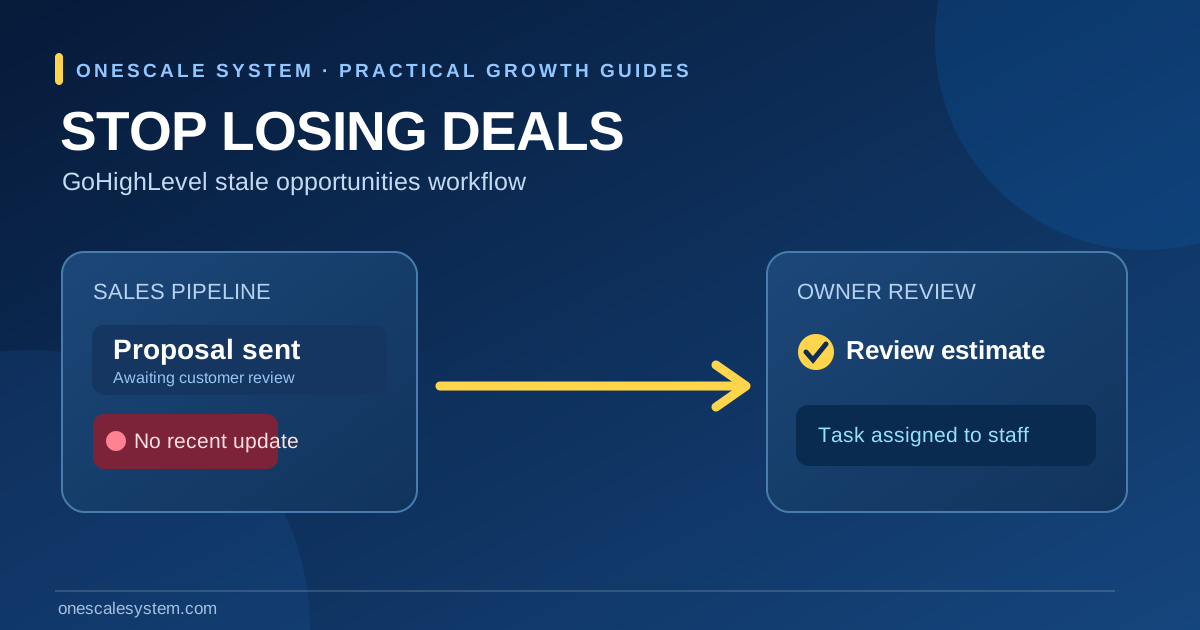
A quote was sent on Monday. On Friday, the estimate is still sitting in your CRM under “Proposal sent,” but nobody can say whether the homeowner replied, asked for a revision, or simply needs a call. That is a pipeline visibility problem before it becomes an automation problem. GoHighLevel's Stale Opportunities workflow trigger is designed to find opportunities that remain in a stage for a defined period and start an appropriate follow-up process.
This guide shows how to choose the right stage, configure a stale-opportunity trigger, alert the responsible salesperson, and test the result without treating every quiet customer as someone who wants another marketing message. It is written for U.S. contractors, agencies, and service businesses using HighLevel opportunities and workflows.
Start with an internal task, not an automatic customer campaign. A useful first test is: one pipeline, one stage, one age threshold, one assigned owner and one documented outcome.
What counts as a stale opportunity?
An opportunity is a sales record representing a possible job or deal. A stage describes where that record sits: new enquiry, estimate scheduled, proposal sent, awaiting approval, won, or lost. For the Stale Opportunities trigger, HighLevel evaluates whether an opportunity has remained in a specified stage for the chosen duration without qualifying progress or updates. Its official trigger guide explains the behavior and filters.
Stale does not mean lost
A customer can need a few days to compare a roof-repair estimate or wait for an insurance adjuster. Labeling that customer lost may cause the sales team to stop following up prematurely. Instead, define “stale” as a prompt to review the record. A salesperson should confirm the last contact, promised next step, and customer preferences before deciding what to send.
New enquiry: a short review window may make sense when the team promises a prompt callback.
Proposal sent: allow enough time for the customer to review the scope and discuss the decision.
Awaiting documents or insurance: a longer window may reflect a legitimate outside dependency.
Closed won or closed lost: avoid treating completed outcomes like unresolved sales conversations.
Choose thresholds based on your real sales cycle
HighLevel's documentation gives short and longer example durations, not a universal rule. For a plumbing emergency enquiry, waiting five days might make an alert irrelevant; for a multi-trade commercial renovation, five days may be entirely ordinary. Agree on the threshold with the owner responsible for that pipeline stage. Record why the stage was chosen and revisit it when actual cases show too many false alerts.
An internal check is the first response to a stalled deal; customer outreach should follow a review.
Prepare your HighLevel pipeline before building the automation
Check the correct account and opportunity stage
Open the correct HighLevel business location and navigate to Opportunities.
Review the relevant pipeline and the stage that needs attention, such as Proposal Sent.
Check that opportunities have meaningful owners and stages; fix obviously misplaced records first.
Decide whether the workflow should cover all opportunities in a stage or only a narrow category.
Choose the owner who should receive the alert and the place where a review task will be recorded.
A pipeline with no agreed definitions can produce more reminders without any better follow-up. If your process needs work, begin with the CRM pipeline guide. That article covers stage definitions and ownership; this guide covers what happens after a record stops moving.
Document the trigger and desired response
Decision
Example for a roofing company
Why it matters
Pipeline
Residential Estimates
Prevents alerts for unrelated sales work
Stage
Proposal Sent
The point where an approval may stall
Threshold
Three days for an initial test
A review rule, not a promised best practice
Action
Create owner task and notify team
Keeps judgment with a person
Exit condition
Proposal accepted, declined, rescheduled, or updated
Avoids inappropriate follow-up
Create a Stale Opportunities workflow
1. Select the trigger
In the correct location, open Automation → Workflows and create a workflow. Add the trigger named Stale Opportunities. In its filters, select the pipeline, the stage when applicable, and the inactivity duration supported by the current interface. HighLevel documents stage-specific filters and recommends using conditions to reduce false positives. Menu labels and available options can change, so confirm the names visible in your account before recording a training screenshot.
2. Start with an internal notification
The first action can notify the assigned staff member or create a task such as “Review estimate 2481 — confirm next step.” Include enough context to identify the opportunity without leaking confidential details into a shared or insecure channel. Make the next step specific: check the last conversation, examine notes, confirm the quoted service and decide whether the customer is still waiting.
3. Add conditional customer follow-up only when justified
An automatic email may be reasonable for an active estimate when the customer requested a reply and the communication fits that relationship. It is not reasonable to send generic SMS blasts to every quiet contact. Before enabling messages, check consent records, opt-outs, DND status, sender setup and any company-specific review policies. A human-reviewed follow-up might say: “Checking whether you had any questions about the estimate we sent Tuesday. If your plans changed, just let us know.” Do not imply the customer has accepted an appointment or a price.
4. Stop or redirect the process when the opportunity changes
Use conditions and removal rules appropriate to your account so that a won, lost, canceled, or updated opportunity is not treated as unresolved. If the customer replies or a salesperson records a meaningful update, route the case for review rather than allowing overlapping reminders. HighLevel notes that the trigger can become eligible again after an update or stage change followed by a new stale period; that makes re-entry testing important.
A practical example: an unanswered plumbing estimate
Imagine a plumber sends a replacement water-heater estimate. The office records it in “Estimate sent” with an assigned representative. After the agreed review window, the workflow creates a task and sends an internal notification. The representative checks whether the customer asked for a second quote or booked elsewhere. If there is an active estimate and an approved contact route, they send a concise follow-up. If the customer declined or asked not to be contacted, the team updates the opportunity instead.
Observed situation
Recommended handling
Customer accepted the estimate
Move to the correct won or scheduled stage; do not send a stale reminder
Customer requested more time
Record the promised date and hold outreach until appropriate
No reply and outreach permitted
Send one relevant follow-up and record the result
Customer opted out
Honor the opt-out; use only permitted internal record keeping
Opportunity has no owner
Assign a responsible person before starting automated notifications
Test the workflow before using it with customers
Use safe test records and inspect enrollment
Make or identify a controlled test opportunity in the intended pipeline and stage.
Confirm the workflow is published and the trigger filters match the test case.
Wait for a real eligible event; a manual workflow test is not the same as real trigger enrollment.
Inspect enrollment and execution history to see whether the expected action ran.
Test an opportunity that changes stage, a customer who replies, and an opportunity that is closed.
Verify that staff can actually see and complete the assigned review task.
The official documentation states that the stale duration is not retroactive to opportunities that were already sitting in a stage before the trigger was added. Do not interpret missing historical enrollments as proof the automation is broken. For a broader investigation of enrollment, execution and message delivery, see why a GoHighLevel workflow may not trigger.
Watch for the most common failures
Wrong pipeline or stage filter: real opportunities never qualify.
Threshold too short: the same salesperson receives unnecessary alerts.
Missing owner or unclear task: the reminder has no accountable next action.
Repeated enrollment: a record is checked and then re-enters without a meaningful change.
Automatic marketing messages: consent, timing or customer preferences were not verified.
Measure follow-up quality, not just automation activity
Workflow enrollments are an operations measure; they are not sales. Track the count of eligible stale opportunities, tasks completed, outcomes recorded, reopened conversations, and confirmed booked work. Separate results by stage and service type. A workflow that produces many notifications but leaves tasks unresolved has not solved the original problem.
Metric
Definition
Question to ask
Eligible stale records
Unique opportunities meeting the chosen rule
Is the threshold appropriate?
Reviewed records
Eligible records with documented owner review
Is someone accountable?
Customer responses
Replies traceable to permitted outreach
Was the message relevant?
Next actions booked
Appointments or callbacks explicitly confirmed
Did the team advance the conversation?
Won jobs
Closed sales with supporting records
What is the verified commercial outcome?
Do not calculate revenue from the value of every opportunity that passed through the trigger. An estimate amount is not booked revenue. Review how lead source and subsequent interactions are recorded if you also want reliable attribution; the automated website lead follow-up guide explains the earlier part of that process.
Frequently asked questions
Will the trigger automatically recover lost deals?
No. It identifies qualifying stalled records and can run actions. Whether a deal can be recovered depends on the customer's needs, the accuracy of the CRM record, staff follow-through and the quality of the offer.
Can a stale opportunity trigger fire more than once?
HighLevel states that updates or stage movement can reset the condition, allowing a later stale period to qualify. Review enrollment and re-entry conditions rather than assuming one notification per opportunity forever.
Should I send a text message to every stale lead?
No. Start with internal review and check consent and opt-out requirements before any external messaging. A previously submitted request does not authorize unlimited promotional texts.
Get your sales pipeline reviewed
If your team is struggling to tell which estimates need attention, OneScale System can help map your stages, assign ownership, build a controlled workflow and test the full handoff. Review GoHighLevel setup services or book a consultation to discuss your existing process. The goal is a pipeline that gives your team the next defensible action, not more activity for its own sake.

 Muhammad Asif Khokhar·Founder & CEO, One Scale System·Published ·8 min read