Quick answer: A Go High Level expert should build a reliable path from inquiry to assigned lead, appropriate follow-up, booked appointment and measurable next action. Start with one customer journey, test the exceptions and expand only after the first version works.
Imagine a customer requests an estimate from your website after hours. The confirmation appears, but the lead never reaches the right salesperson. A generic reminder goes out the next day, even though the customer already booked an appointment. Meanwhile, your team sees two contact records and cannot tell which advertisement started the inquiry. The software is active, but the customer journey is not working.
That is the kind of problem an experienced Go High Level expert is hired to solve. A well-designed HighLevel account connects a website or funnel with CRM contact management, pipelines, calendars, workflows and reporting. It should help a real employee understand what happened and what to do next—not simply display a dashboard full of automations.
This guide is a practical 30-day CRM implementation blueprint for small businesses, consultants, local service providers and agencies serving U.S. customers. It covers the system architecture, quality-assurance checks, related GHL services and measurements worth tracking. If your main question is how to compare candidates, use our separate GoHighLevel expert hiring checklist rather than treating another generic hiring article as the answer.
What should a Go High Level expert actually deliver?
The core deliverable is a working lead journey with an accountable owner. That sounds basic, but most CRM problems originate in the handoff between two parts of the journey: a form and a contact record, a booking and a pipeline stage, or an automated message and a human reply. A GoHighLevel automation specialist should document those handoffs before building anything.
- GHL CRM setup: contact fields, lead sources, tags, responsible team members and consistent opportunity stages.
- GoHighLevel funnels: a responsive offer page, form or booking step, clear confirmation and a trackable conversion event.
- Workflow automation: specific entry triggers, filters, notifications, permitted follow-up and stop conditions.
- Appointment management: correct availability, reminders, changes and ownership when a person books or reschedules.
- Integrations and QA: source preservation, error visibility, duplicate-contact checks and staff handover.
- Reporting: a short scorecard showing meaningful lead and appointment outcomes.
HighLevel's official workflow documentation describes triggers, actions, conditional logic and webhooks. These are useful components, but they do not automatically define the right business process. Your process map should remain understandable to a salesperson who has never opened the workflow builder.
The four-week GoHighLevel CRM implementation plan
Week 1: Audit leads, define the pipeline and assign ownership
Start by collecting examples from your current system: a fresh quote request, a missed call, a duplicate submission, a new booking, a reschedule and a customer reply. Follow each event from its origin to the staff member expected to act. Use sanitized examples or a test account rather than sharing another customer's private information.
Then define what each sales stage means. “New inquiry” should not include a lead that already completed an appointment. “Contacted” should describe an actual contact attempt or conversation, not merely a workflow toggle. “Appointment booked” should mean a confirmed slot exists. When teams agree on definitions, the CRM becomes usable for daily work and reporting.
- Choose one primary journey, such as website quote request to booked consultation.
- List every entry point: website form, call, referral, paid campaign and social lead form.
- Choose the minimum required CRM fields and a responsible owner for each lead.
- Define pipeline stages using real customer actions rather than vague internal labels.
- Establish a baseline for response time, confirmed bookings and known handoff failures.
- Document customer consent and the channels you are authorized to use.
Week 2: Build clean CRM records, connected forms and conversion-focused funnels
Now build the smallest system that covers the process map. A useful GoHighLevel CRM setup normally begins with contact name, safe contact details, service interest, source and an assigned person. Add custom fields only when they affect routing, personalization or reporting. A complicated form can reduce completions while adding data nobody uses.
A skilled GHL funnel builder should test the landing page on a real phone. Does the headline match the service? Is the primary call to action obvious? Can the form be completed without excessive scrolling? Does a successful submission create the expected contact or opportunity? Does the thank-you page explain the next step in plain language? Attractive design is only part of a conversion-ready website.
Businesses with an existing WordPress site can often keep it and connect selected lead forms to HighLevel. A rebuild is not always justified. Our WordPress-to-GoHighLevel CRM walkthrough covers the handoff, while website and funnel design services can help when the front-end experience also needs work.
Week 3: Implement GoHighLevel workflow automation with safeguards
A typical new-lead sequence starts when a form is submitted. The system identifies the service requested, updates the record, creates or updates an opportunity, assigns an owner and alerts the team. If the contact has agreed to receive a message through a particular channel, an appropriate acknowledgment or appointment link may follow. The workflow should not continue blindly once the person's situation changes.
- Stop or redirect follow-up when a contact books, replies, declines, purchases or opts out.
- Check business hours, communication preferences and applicable messaging requirements.
- Avoid sending repeat new-lead messages when an existing customer submits a second form.
- Include an employee fallback for unusual questions or unrecognized booking requests.
- Log failed integrations and identify who will recover the missing lead.
HighLevel now offers Workflow AI Builder, which can generate and refine workflows from a description. An AI-generated draft still needs review of triggers, account-specific data, message consent, stopping rules and the customer experience. Treat it as an implementation aid rather than a substitute for quality assurance.
For teams that need appointment scheduling, HighLevel also documents an AI-powered appointment booking workflow action. Before using it, test live availability, confirmation, timeouts and what happens when a person does not want to continue with the bot. A GoHighLevel consultant should explain these edge cases rather than promise completely hands-off sales.
Week 4: Test edge cases, train the team and launch
An enabled automation is not proof of a successful journey. The most important part of the project is a repeatable acceptance test. Submit sample leads from desktop and mobile, book and cancel appointments, reply during the sequence, and create a deliberate integration failure. Each test should have an expected result, a responsible owner and a place to record what actually happened.
| Scenario | Acceptance check |
|---|
| Fresh form submission | One contact and correct source, owner and pipeline stage |
| Returning lead submits again | Agreed duplicate and opportunity rules are respected |
| Appointment booked | Correct calendar confirmation; conflicting follow-up stops |
| Customer replies or opts out | Consent and human handover rules work as intended |
| Reschedule or cancellation | Staff task and appointment status stay consistent |
| Webhook or integration fails | Error is visible and an owner can recover the request |
| Phone-screen form test | All important controls remain usable and submission completes |
If you are running an agency, snapshots can speed up repeated account launches, but a template is not a tested client implementation. HighLevel's snapshot documentation explains reusable configurations and exclusions. Client-specific domains, contact details, staff access, messaging rules and integrations still require attention.
Three examples of where a GHL expert adds value
Home service businesses: assign every quote request
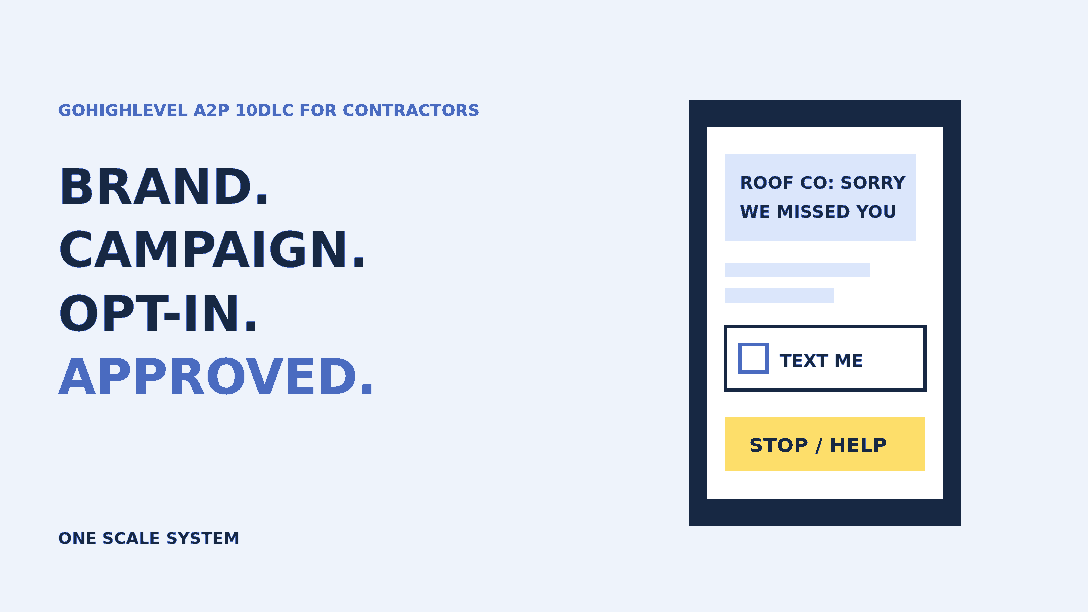
Roofing, plumbing, cleaning and HVAC businesses often receive requests while the owner is in the field. A simple CRM automation can capture the service requested, record the original source, assign an estimator and create a task. A missed-call text-back may help when permission and message settings allow it, but staff must still be able to see and respond to genuine questions. Track confirmed estimate appointments, not just texts sent.
Consultants and professional services: reduce booking confusion
A professional service firm may need an intake question, a calendar selection and the right team member for each appointment. Well-designed GoHighLevel booking automation should make those steps clearer to the customer. If the visitor reschedules, later reminders must reflect the new time; if they ask a complex question, the conversation should reach a person.
Marketing agencies: repeat a reliable launch process
An agency with multiple sub-accounts can benefit from documented naming conventions, reusable configurations, permission hygiene and standard tests. The goal is not to copy every automation from one client to another. It is to launch consistent foundations, then adapt the actual funnel, CRM routing and communication to each client.
Which metrics show whether your CRM automation works?
A useful system makes operational improvements visible. Set baselines before changes and compare similar periods afterward. Traffic fluctuations, seasonality, offer changes and staffing can all affect outcomes, so avoid attributing every booking increase to a CRM feature alone.
| Metric | Why it matters | What to check |
|---|
| First meaningful response time | Reveals delays after inquiries | Inquiry timestamp against actual approved response |
| Unassigned leads | Shows handoff gaps | Number and age of leads with no staff owner |
| Qualified lead-to-booking rate | Tracks progress toward sales conversations | Consistent definitions of qualified and booked |
| Follow-up conflicts | Shows automation errors | Messages sent after replies, bookings or opt-outs |
| Integration failure recovery | Measures process resilience | Error logs, ownership and time to recover |
A GoHighLevel specialist should help the team review contact histories and measure whether the next action is happening. The number of workflow steps built is not an outcome metric. Nor is an impressive-looking dashboard useful if the underlying opportunity stages are inconsistent.
Mistakes to avoid before hiring a GoHighLevel automation specialist
- Replacing a functioning website simply because the CRM has a website builder.
- Buying dozens of prebuilt workflows without documenting what triggers or stops them.
- Losing the source or consent details when forms send data to HighLevel.
- Confusing appointments offered with appointments confirmed.
- Leaving broad administrator access in place after the implementation ends.
- Publishing AI-generated customer messages without checking accuracy and escalation.
- Claiming a guaranteed sales lift when the offer, traffic and sales process have not been measured.
If your current account has a specific problem, start with our workflow troubleshooting checklist or automated lead-follow-up guide. Those narrower resources may be more useful than rebuilding everything.
Work with a Go High Level expert at One Scale System
At One Scale System, Ahsan Zaif works on GHL CRM setup, funnels, automation and connected website experiences. We start by mapping the customer journey you want to improve, then agree on a workable scope, testing and documentation. A good implementation should be understandable by your staff and maintainable after launch.
Learn more about our GoHighLevel services, explore Ahsan Zaif's GHL specialist profile or contact One Scale System to discuss one workflow you want to make more reliable.
Frequently asked questions
What does a Go High Level expert do?
A Go High Level expert configures CRM contacts, lead pipelines, forms, funnels, calendars and automation around a defined customer journey. A good implementation includes testing, ownership and a documented handover.
How long does GoHighLevel CRM setup take?
A focused first implementation can be organized into a four-week plan. The real timeline depends on integrations, data cleanup, approvals and the number of customer journeys, so agree on deliverables rather than a fixed guarantee.
Can a GHL expert connect WordPress to GoHighLevel?
Yes. Your WordPress website can remain in place while supported forms or integrations send appropriately mapped lead data into the CRM. Test duplicates, source attribution, consent and error handling.
What is the difference between a GoHighLevel freelancer and an agency?
A freelancer may suit a focused workflow repair or single funnel. An agency may be better when CRM implementation, website design, marketing and reporting must be coordinated. Choose based on scope, accountability and testing.
How do I know GoHighLevel automation is working?
Review real contact histories, response time, lead ownership, confirmed appointment rates, workflow errors and opt-out handling. The number of messages or workflows created is not enough to prove business value.

Ahsan Zaif
GoHighLevel Expert & Digital Automation Specialist, One Scale System
Ahsan Zaif works on GoHighLevel CRM implementation, workflows, website integrations and conversion-oriented funnels at One Scale System, with an emphasis on documented handoffs and end-to-end testing.
Ready to grow your business?
Get a free professional website and a lead system that captures every customer — built and run for you.