A business can have a beautiful website, active social accounts and a paid advertising budget and still struggle to generate consistent leads. Often, the problem is not a lack of effort. It is that each part of the marketing process operates on its own.
An advertisement attracts a visitor, but the landing page does not answer their question. Someone fills out a form, but nobody follows up until the next day. A potential customer calls outside business hours and never hears back. Meanwhile, useful customer information sits in different inboxes, spreadsheets and apps.
Digital marketing works better when these pieces are connected. Your website should help visitors understand your offer. Search engines and advertising should bring relevant people to the right pages. Your CRM should help your team respond and follow up. Email, social media and helpful content should keep the conversation going until the customer is ready to act.
This guide explains how to build that system. Whether you run a professional service, local business, online store, coaching practice or growing company, you will learn how the main digital marketing channels fit together, what to prioritize and how to measure the results that matter.
What is digital marketing for small businesses?
Digital marketing is the process of reaching, engaging and converting customers through online channels. Those channels can include your website, Google search, business listings, social media, online advertising, email and text messages.
A practical strategy goes beyond being present on every platform. It connects the customer's journey from the first interaction to the sale and, ideally, to repeat business and referrals.
Consider a fictional example. A homeowner searches for a local painting company and finds a useful service page. They read about the process, view relevant work and request an estimate. Their details enter the company's CRM, an acknowledgment is sent, and a team member follows up. After the job, the company asks for honest feedback and stays in touch with useful seasonal advice.
The website, search visibility, CRM and follow-up each play a different role, but together they support one outcome: turning a relevant visitor into a satisfied customer. A consultant, ecommerce brand or medical practice would need a different journey, but the principle is the same.
Start with a simple question: What should happen after someone discovers your business? Map the answer before you invest in another platform or campaign.
1. Start with your audience, offer and business goals
A marketing plan needs a clear direction before it needs more content. Identify who you want to reach, what they are trying to achieve and why your solution is relevant to them.
For each core offer, write down:
- The customer: Who makes the buying decision? What type of business or household do they represent?
- The problem: What is happening before they begin looking for help?
- The offer: What do you provide, and what is included?
- The decision criteria: What might they need to know about price, timing, process or suitability?
- The action: Should they call, book, request a quote, purchase or download something?
- The business goal: Are you trying to increase qualified inquiries, improve close rates, generate repeat purchases or enter a new market?
For example, a business owner searching for “website design for small business” may want to understand cost, timelines and ownership. Someone searching for “website contact form not working” has a more immediate technical problem. Those visitors need different answers even if both could eventually become customers.
Choose one or two measurable goals for the next quarter. “Improve marketing” is too broad. “Increase the number of qualified consultation requests while maintaining a manageable cost per lead” gives your team a clearer direction.
Also define what a qualified lead means. A relevant industry, a real need, an appropriate service area and a realistic budget may matter more than the total number of form submissions. Without that definition, a campaign can look successful on a dashboard while producing inquiries your team cannot use.
2. Build a website that makes the next step obvious
Your website is often the first place a potential customer checks your credibility. It should answer three questions quickly: What do you do? Who do you help? What should the visitor do next?
A strong homepage introduces your main offer and guides different visitors toward relevant services. Individual service pages explain those offers in greater detail. An about page helps people understand the team behind the business. A contact or booking page makes it easy to start a conversation.
Good design supports these decisions. A mobile visitor should be able to read the text, navigate the menu, tap buttons and complete a form without zooming or hunting for information. Images should add context and load efficiently. Consistent headings, sufficient color contrast and clear labels improve accessibility and usability.
Focus your homepage hero on a specific promise rather than a generic statement such as “Welcome to our website.” For example, a bookkeeping firm might explain that it helps growing businesses keep their finances organized, then invite visitors to schedule a consultation. Supporting proof could include relevant credentials, verified client feedback or examples of work—provided each claim is accurate and approved for use.
Before launching or redesigning, check that forms work, calls reach the correct number and every important page has an obvious next step. Review what happens after submission too: a thank-you message alone is not enough if the inquiry disappears into an unattended inbox.
For a deeper planning process, see our small business website design brief and responsive web design guide. Explore our website and funnel design services if you need help building or improving your site.
3. Use landing pages when one offer needs one clear action
A website and a landing page can work together without doing the same job. Our landing page design services focus on matching a specific offer to the audience and action behind a campaign. Your website provides a broader home for your brand, services and resources. A landing page focuses attention on a particular audience, offer or campaign.
Imagine running an advertisement for a free consultation about business insurance. Sending visitors to a general homepage asks them to find the relevant service themselves. A dedicated landing page can continue the conversation started in the ad, explain the consultation and make booking simple.
If you use GoHighLevel, our guide to GoHighLevel landing page design explains the platform-specific considerations. A useful landing page usually contains:
- A headline that reflects the visitor's need and the offer.
- A short explanation of the problem and the proposed solution.
- Clear details about what the visitor receives and who it is for.
- Relevant, permissioned proof such as examples, credentials or testimonials.
- Answers to common questions and objections.
- A visible form, booking option or other next step.
The amount of information should match the decision. A straightforward download may need a short page. A complex business service may need more explanation before someone feels comfortable getting in touch.
Match the language of your ad, email or social post to the landing page. If the message promises a pricing guide, the page should provide that guide—not surprise the visitor with an unrelated sales call. Test the experience on a phone and check that form submissions reach the right place.
Start with our comparison of a website versus a landing page, then use the landing page conversion checklist to review your page.
4. Create a search engine optimization strategy around real questions
Search engine optimization, or SEO, helps search engines understand your content and helps people discover useful pages when they search for related topics. It involves technical foundations, clear page structure, relevant content and a good experience for visitors.
Begin by grouping searches according to what people want. A person looking for “digital marketing agency” may be comparing providers. Someone searching “how to create a marketing plan” is likely looking for guidance. A customer searching for a specific business name may already know where they want to go.
Create pages that serve those different needs. Your service page should explain what you offer, who it helps, how the process works and how to get started. A supporting article can answer a narrower question and link to the service when it is useful to the reader.
Use descriptive titles and headings, sensible URLs, meaningful internal links and original content. Make important pages accessible to search engines, maintain a sitemap and monitor indexing through Google Search Console. For businesses building a lead-generation strategy, our guide to lead generation SEO explores how search content can support relevant inquiries. Check that each page has a clear purpose and offers more than a rewritten version of another page.
Google recommends creating helpful, reliable, people-first content and provides an SEO starter guide. Following those practices can improve your site's foundation, but no article, plugin or agency can guarantee a particular ranking or indexing outcome.
SEO also takes maintenance. Review outdated information, repair broken links and improve pages that attract relevant impressions but do not clearly answer the visitor's question. Explore our guide to SEO tools for small businesses and our SEO services.
5. Turn related articles into a useful content cluster
A content cluster is a group of related pages connected around a broader subject. A pillar article introduces the main topic, while supporting pages answer specific questions in greater depth. Links help readers move between them when they need more detail.
For example, this guide covers digital marketing as a whole. Related articles can explore individual topics such as website design, local SEO, paid ads, email marketing and GoHighLevel automation. Each supporting article should solve a distinct problem rather than repeat the same paragraphs with a different title.
Build a cluster using this process:
- List the questions customers ask before, during and after buying.
- Group similar questions under themes such as website performance, lead generation and customer follow-up.
- Choose one broad page for each major theme and identify the specific topics that deserve separate articles.
- Connect relevant pages with descriptive links in context.
- Add links back to the pillar or a relevant service page where they genuinely help the reader.
- Review older articles when you publish something new, so useful content does not become isolated.
For instance, an article about broken contact forms can link to a website maintenance guide and a CRM article. A CRM article can link to automation and lead-source tracking. Those connections mirror the customer's problem: a missing inquiry can involve the form, the integration or the follow-up process.
Avoid writing articles only to hit a word count. A practical checklist, a comparison, a troubleshooting guide or a detailed example can each be useful in a different way. Length should follow the topic; evidence and clarity matter more than repetition.
6. Improve local visibility when customers search nearby
Local SEO helps eligible businesses present accurate information to customers looking for services in a relevant geographic area. For a physical location, that might mean helping people find your office or store. For a service-area business, it may mean explaining the communities you serve and how customers can contact you.
Start with accurate business information across your website and eligible listings. Keep your business name, contact details, hours and service information current. Build service pages that explain what you do, and include local context where it reflects your actual work and customer needs.
If your business qualifies for a Google Business Profile, complete it honestly and follow Google's rules. Google says businesses that visit customers but do not serve them at their business address should generally hide that address; hybrid businesses have different requirements. Review the current Google Business Profile guidelines before making changes.
Ask real customers for honest reviews, respond professionally and avoid inventing feedback. Reviews should represent real experiences, not promises of a particular result. Use relevant project examples and service-area information only when they are accurate and you have permission to share them.
Do not create dozens of near-identical location pages with only the city name changed. A useful local page can include the services offered in that area, relevant customer questions, genuine project information and a clear contact option.
Read our local SEO guide for small businesses and guide for service-area businesses, or explore local SEO services.
7. Use paid advertising to reach the right people with a specific offer
Paid advertising can put your business in front of potential customers while you build longer-term channels such as organic search and referrals. The right platform depends on how people discover your offer and whether they already know what they need.
Search advertising can be useful when someone is actively looking for a service. Social advertising can help introduce an offer to a relevant audience, reconnect with interested visitors where permitted, or promote an event or resource. Neither approach is automatically profitable: performance depends on the audience, offer, landing page, competition, follow-up and measurement.
Before launching a campaign:
- Choose one goal, such as qualified quote requests or booked consultations.
- Define the audience, geography and offer clearly.
- Send clicks to a page that matches the ad.
- Set a budget you can afford to test and monitor.
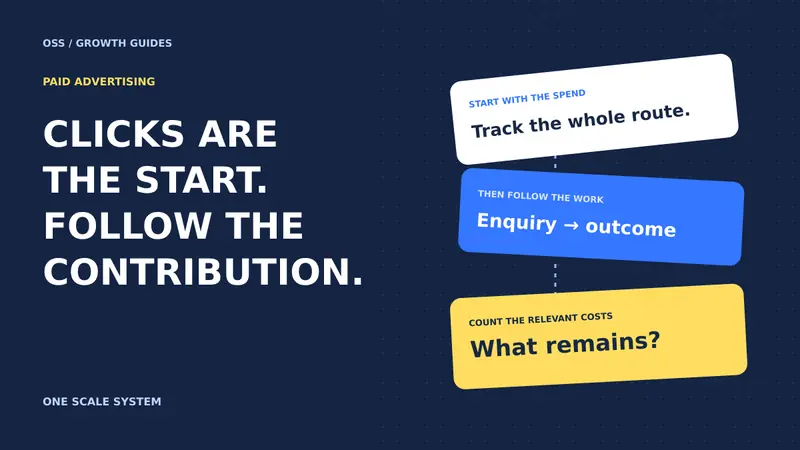
- Track the actions that matter, including leads that later become customers when feasible.
- Review search terms, creative, lead quality and follow-up—not just clicks.
Suppose one campaign generates 40 inexpensive inquiries but only two fit your service, while another produces 10 inquiries and six qualified conversations. The second campaign may be more valuable even though its cost per inquiry is higher. The numbers are illustrative; your results will depend on your own business.
Google describes how offline conversion imports can connect later sales outcomes with ad interactions when configured appropriately. Set up tracking with the right permissions and privacy safeguards, and do not assume every customer journey will be captured perfectly.
Learn more in our article on paid advertising ROI for small businesses and our ads management services.
8. Make social media a useful part of the customer journey
Social media can help people discover your business, understand your expertise and see the humans behind your brand. It can also support existing customer relationships. The goal is not simply to post every day; it is to give the right people a reason to pay attention and a clear path to continue the conversation.
Choose platforms based on where your customers spend time and the type of content you can maintain. A business selling a visually demonstrable product may focus on short videos and product education. A B2B consultant may find professional insights and case discussions more relevant. A local service provider might share practical tips, completed work and answers to common customer questions.
Use a balanced content plan:
- Education: Explain a common problem or answer a customer question.
- Proof: Share a real project, case study or review with permission and appropriate context.
- Personality: Introduce your team, values or approach.
- Conversation: Invite relevant questions or discuss a customer concern.
- Offer: Explain a service and tell people what to do next.
A social post does not have to make the sale on its own. It may lead a visitor to an article, a relevant service page, a booking form or a conversation. Use a consistent voice, but adapt the format to the platform and the audience's expectations.
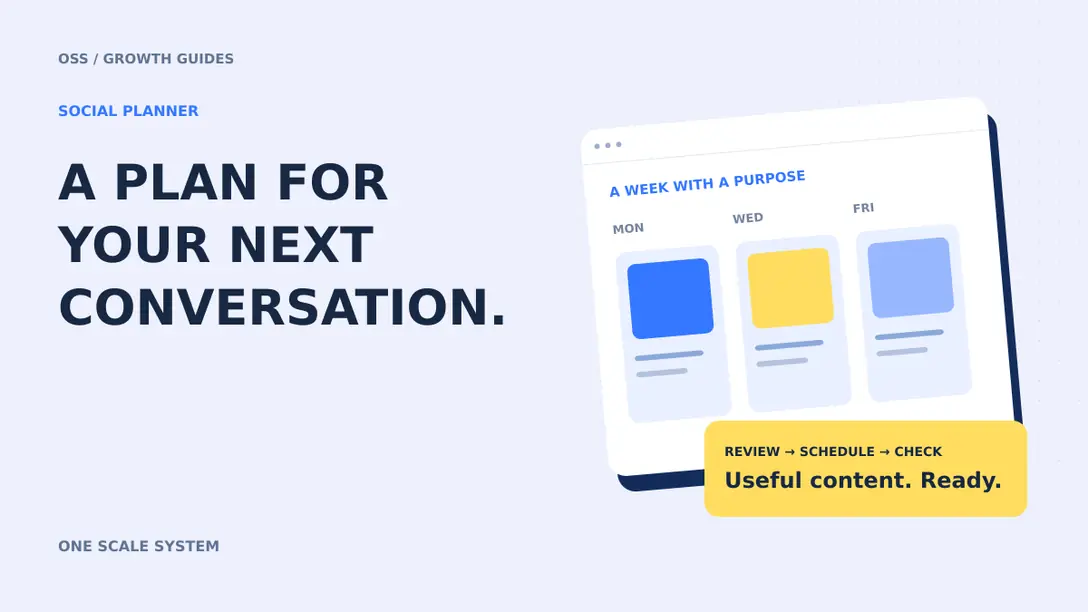
Plan a realistic schedule, respond to legitimate inquiries and review what leads to meaningful actions rather than relying on likes alone. Our guide to the social planner for small businesses explains how to organize your content. You can also explore social media marketing services.
9. Build an email marketing program people want to receive
Email gives your business a direct way to share useful information, nurture interest and stay connected with customers who have chosen to hear from you. A thoughtful email program supports the relationship between the first inquiry and the next purchase.
Start with a clear reason to subscribe. You might offer a practical checklist, helpful updates, product education or advice relevant to a service your audience is considering. Explain what people are signing up for and collect only the information you need.
For businesses evaluating email marketing services, start with a sequence that matches the subscriber's interests and the promise made at signup. A simple welcome sequence might include:
- Deliver the promised resource or acknowledge the subscription.
- Introduce your business and explain what subscribers can expect.
- Share a useful answer to a common problem.
- Offer a relevant next step, such as reading a guide or booking a consultation.
Segment your list when it improves relevance. A new prospect researching options may need different information from a customer who has already purchased. Avoid sending the same promotion to everyone regardless of their interests or relationship with your business.
Use truthful subject lines, identify the sender, provide a working unsubscribe mechanism where required and honor requests promptly. Applicable rules differ by location and message type; U.S. businesses should review the FTC's CAN-SPAM compliance guidance and seek appropriate advice for their circumstances. Text messaging has its own consent and compliance requirements; do not assume an email opt-in automatically permits marketing texts.
Track engagement alongside meaningful outcomes such as replies, bookings and sales. If a sequence produces unsubscribes or irrelevant leads, review its promise, frequency and audience. Learn more about our email marketing approach and email and SMS services.
10. Capture leads without creating unnecessary friction
A lead capture process should make it easy for someone to express interest and easy for your team to act on that interest. Depending on the business, the right action might be a call, a form, a chat conversation, an online booking or a purchase.
Ask for the information needed to take the next step. A simple consultation request may need a name, contact details and a short description of the need. A detailed project quote might require additional information, but explain why you are asking and avoid making every field mandatory without a reason.
The confirmation experience matters too. Tell visitors whether their request was received, what happens next and when they can reasonably expect a response. Make sure the promise reflects your actual operating hours and capacity.
Test the complete journey regularly. Submit a form from a phone and a desktop, confirm that the right team member is notified, and check that the lead appears in your CRM. Try the online booking link, verify the time zone and confirm the calendar invitation arrives. A campaign cannot succeed reliably if its inquiry path is broken.
For customers who prefer to talk, make your phone number visible and consider a missed-call text-back workflow. Such a workflow can acknowledge an eligible inquiry and offer a way to continue, subject to applicable messaging rules and consent requirements. It should also alert a person when human follow-up is needed.
Compare quote request forms and online booking, review what to do when a contact form is not working, and explore our lead capture services.
11. Use a CRM to organize relationships and sales opportunities
A customer relationship management system, or CRM, brings contact information and interactions into a shared workspace. If your website uses WordPress, see our guide to connecting WordPress to GoHighLevel CRM for a related integration. Instead of relying on individual inboxes or memory, your team can see where an inquiry came from, what happened next and who owns the follow-up.
A basic sales pipeline might include these stages: new inquiry, contacted, qualified, proposal sent, won and lost. Your stages should reflect your actual process. A law firm, ecommerce company and home service business may need different fields, permissions and workflows.
For each opportunity, record useful information such as the requested service, source, relevant conversation notes, next action and responsible team member. Set reminders for tasks that require a person. Avoid collecting sensitive information unless there is a clear need and the system is appropriate for handling it.
A CRM also makes reporting more meaningful. If you can see how many inquiries become qualified conversations and how many conversations become customers, you can identify where the process is breaking down. A low booking rate may point to a weak offer or slow response. A low close rate could indicate poor lead fit, pricing confusion or a sales process that needs attention.
Before migrating contacts, clean duplicates, define your fields and decide which historical information is necessary. Test a small sample before moving everything. Agree on who can access the data and how errors will be corrected.
Our guide to CRM pipelines and CRM migration checklist provide useful starting points. Explore our CRM services for setup and process support.
12. Connect marketing and follow-up with GoHighLevel
GoHighLevel is a platform that can bring together tools such as contact management, pipelines, forms, calendars, messaging and automation. For some businesses, using connected tools in one environment can make it easier to see the journey from inquiry to follow-up. It is still important to check whether the features, costs and integrations fit your business before choosing it.
A practical setup starts with the process, not the software. Decide how an inquiry enters the system, who should respond, what information is needed and when the team should intervene. Then configure the platform to support that process.
For example, a website inquiry might create or update a contact, record the service of interest, notify the assigned team member and trigger an appropriate acknowledgment. If the person books a call, the workflow could stop generic follow-up and send a booking confirmation instead. The exact workflow depends on your setup, permissions and applicable messaging rules.
Pay attention to details that are easy to overlook: duplicate contacts, calendar availability, time zones, form mapping, sender identity and the conditions that stop a sequence. Test with a sample contact and review what happens if someone replies, unsubscribes, books or enters the process twice.
GoHighLevel is not a replacement for a clear offer or a responsive team. It is a tool that can support those things when configured thoughtfully. Some organizations may prefer another CRM or a combination of specialized tools; ownership, portability, training and integration requirements should be part of the decision.
For a closer look, read our GoHighLevel setup services guide, expert hiring checklist and lead source tracking guide. You can also explore our GoHighLevel services.
13. Automate repeatable tasks while keeping people in control
Marketing automation is a set of rules that performs an action after a defined event. A form submission might create a contact, a booked appointment might trigger a reminder, or a completed project might create a task for requesting feedback.
Start with a task that happens frequently and has a clear outcome. Map the trigger, the action, the person responsible and the conditions that should stop or change the workflow. Then test the normal path and a few exceptions before turning it on.
Useful starting points include:
- Confirming that a form submission was received.
- Assigning a new inquiry to the right team member.
- Sending an appointment reminder when appropriate.
- Creating a task when a proposal has not received a response.
- Moving an opportunity after a verified action.
- Alerting a person when a customer asks a question that needs human attention.
A good automation should not create more messages just because it can. If someone has already booked, replied or opted out, continuing an unrelated sequence can damage trust. Add clear stop conditions, account for business hours and provide a way to reach a real person.
Review performance after launch. Are tasks being assigned correctly? Are contacts receiving duplicate messages? Does the team understand why a contact entered a workflow? If an automation fails, the owner should know how to pause it and handle inquiries manually.
Read our guide to automated lead follow-up, troubleshooting a workflow that is not triggering, and our automation services.
14. Add AI chatbots and agents where they solve a real problem
AI can help a business handle repetitive conversations and route common requests, but it works best when its responsibilities are clearly defined. A chatbot might answer approved frequently asked questions, collect basic details or guide a visitor toward a booking. A website chat widget can also connect visitors with your team when human help is needed. An AI voice agent might help with routine call handling when configured for the business's actual services.
Begin with a narrow use case. Write down the questions the assistant can answer, the information it is allowed to collect and the situations that require a human. Supply accurate, current source material and test how it responds to unclear or unexpected requests.
For example, a visitor might ask whether a consulting firm offers a particular service. The assistant can provide an approved description, ask a relevant qualifying question and offer to connect the visitor with the team. It should not invent prices, promise outcomes or claim an appointment is confirmed unless the underlying system has actually confirmed it.
Make the handoff clear. A visitor should know how to reach a person, and the team should receive enough context to continue without asking the customer to repeat everything. Protect personal information, define who can access conversation records and review retention settings.
Monitor real conversations and correct recurring problems. AI output can be wrong or incomplete, so human review is especially important for sensitive questions, complex cases and decisions with legal, medical or financial consequences.
Our articles on AI automation for small businesses and chatbot qualification and handoff explain practical use cases. Explore our AI agent services for implementation support.
15. Measure the entire journey, not just traffic
A useful marketing dashboard shows how people move from discovery to a business outcome. Traffic and impressions can help diagnose visibility, but they do not explain whether your team is receiving suitable inquiries or winning customers.
Choose a small set of measures that reflect the way your business operates:
- Website engagement: Visits to important service and landing pages, alongside relevant actions.
- Lead volume: Form submissions, calls, chats or bookings that represent genuine inquiries.
- Qualified leads: Inquiries that meet your agreed criteria.
- Lead-to-customer rate: Customers acquired divided by qualified leads, measured over a consistent period and allowing for the sales cycle.
- Cost per lead: Campaign spend divided by the number of leads attributed to that campaign.
- Cost per acquisition: Relevant campaign spend divided by customers acquired, with the measurement method stated clearly.
- Revenue and margin: Revenue and, where available, the profit associated with acquired customers.
- Response and follow-up: Whether inquiries are reached promptly and receive the promised next step.
For an illustrative example, imagine a campaign costs $1,000 and generates 20 leads. Its cost per lead is $50. If four leads become customers, the simple advertising cost per acquired customer is $250. That calculation does not include agency fees, software, labor or other costs, so it is not the full cost of acquisition unless those expenses are added.
Attribution is imperfect. A customer might discover you through social media, later search your business name and finally call after reading a review. Treat source data as useful evidence, not a complete record of every influence.
Check conversion tracking after website changes, compare reports with your CRM and investigate discrepancies. Review reporting services and our guide to lead source tracking for ways to organize this information.
16. Protect your reputation and improve the customer experience
Marketing continues after a lead becomes a customer. A clear onboarding process, reliable communication and consistent service give people a reason to return and recommend your business.
Set expectations early. Explain what will happen, who the customer can contact and when they can expect an update. If a project changes, communicate the change rather than allowing silence to create uncertainty. After the work, invite feedback through an appropriate channel and make it easy for customers to raise concerns directly.
Respond to public reviews respectfully and protect customer privacy. Thank customers for genuine feedback, address concerns without revealing private details and move sensitive discussions to a suitable private channel. Avoid offering incentives or using selective review requests in ways that violate the relevant platform's policies.
A customer experience process can be supported by reminders and CRM tasks, but the service itself must deliver on the promises made in your marketing. Repeated complaints about the same issue are a signal to improve the operation, not just the wording of a reply.
Real portfolio examples and testimonials can also help future customers understand your work. Use accurate descriptions, obtain permission and explain the context of any result. A result achieved for one client should not be presented as a guarantee for another.
Explore reputation management services and our project portfolio for more about how customer experience and proof support marketing.
17. How to choose the right marketing channels for your business
The best mix depends on demand, budget, margins, customer behavior and how quickly you need results. A business does not need to launch every channel at once.
If customers already search for your service: Start by improving the relevant service pages and your ability to receive inquiries. Consider local SEO if it fits your business and search advertising if you have an appropriate test budget.
If customers need education before they buy: Invest in clear explanations, helpful articles, relevant examples and email follow-up. Social content or targeted advertising may help introduce the problem and lead people to a useful resource.
If inquiries are arriving but sales are inconsistent: Examine lead quality, response times, appointment availability, CRM stages and sales follow-up before spending more on traffic. Better routing and a clearer offer may be more valuable than a larger campaign.
If you depend on repeat business: Focus on customer experience, a permission-based email program and appropriate follow-up. Make it easy for existing customers to return and refer others.
If your capacity is limited: Select one core offer, one audience and one primary acquisition channel. Build a reliable path from discovery to follow-up, then expand once you understand what works.
In every case, your website remains a central source of accurate information. The channels around it can change as your business grows, but people still need a clear explanation of your offer and a way to contact you.
18. A practical 90-day digital marketing plan
Use this example as a planning framework, not a guarantee of results. Adjust the pace to your resources, sales cycle and starting point.
Days 1–30: Establish the foundation
- Define your primary audience, core offer and desired action.
- Review your homepage, key service pages, contact methods and mobile experience.
- Test forms, booking links and notifications from end to end.
- Set up or review analytics, Search Console and your CRM pipeline.
- Identify existing articles and pages that answer important customer questions.
- Record a baseline for inquiries, qualified leads and current acquisition costs where the data is available.
At the end of this phase, you should know how an inquiry reaches your team and who is responsible for the next step. Fix broken conversion paths before sending additional paid traffic.
Days 31–60: Build visibility and improve follow-up
- Improve one or two high-priority service pages based on customer needs.
- Publish or update supporting articles that answer distinct questions.
- Add relevant internal links between the pillar, supporting articles and service pages.
- Build a simple, tested follow-up workflow with clear stop conditions.
- Create a realistic social content schedule and one useful email sequence.
- If your budget and measurement are ready, launch a focused advertising test.
Review the quality of inquiries each week. Ask your team what prospects found confusing and use those questions to improve your content and sales process.
Days 61–90: Learn, refine and expand
- Compare results with your baseline and examine qualified leads, not just total traffic.
- Review campaign search terms, landing page behavior and CRM outcomes.
- Improve the weakest step in the journey, whether that is the offer, the form or follow-up.
- Update content that is attracting the wrong audience or leaving common questions unanswered.
- Document what the team should repeat, stop or investigate further.
- Choose the next channel or service page to develop based on evidence and capacity.
Some channels, particularly organic search, can take longer than 90 days to demonstrate their full value. A regular small business website maintenance checklist can help your team keep the pages and conversion paths you improve working over time. Continue improving useful pages while avoiding promises of immediate rankings.
Common digital marketing mistakes to avoid
Treating every visitor as the same customer. Someone comparing providers needs different information from someone learning the basics. Match the page to the question and the stage of the decision.
Sending all traffic to the homepage. A visitor responding to a specific offer should usually land on a page that explains that offer and makes the next step clear.
Measuring clicks without checking lead quality. Cheap traffic can still be expensive if it consumes time without producing relevant conversations. Define qualified leads with the people who handle sales.
Publishing repetitive content for keywords alone. Multiple pages covering the same question with minor wording changes can confuse readers and make the site harder to maintain. Give each page a distinct purpose.
Automating a broken process. If nobody owns a new inquiry or the booking link is wrong, adding more messages will not solve the underlying problem. Fix the process, then automate the repeatable parts.
Ignoring mobile and accessibility. If visitors cannot easily read, navigate or complete a form on their device, good advertising may lead them to a frustrating experience.
Buying tools without an implementation plan. A CRM, chatbot or social scheduler needs clear ownership, reliable data and ongoing review. Choose software for a defined job, not because a feature list looks impressive.
Making claims you cannot support. Use accurate information about reviews, project outcomes, pricing, locations and capabilities. Trust is easier to build when visitors know what to expect.
Frequently asked questions
What is the most important digital marketing channel for a small business?
There is no single best channel for every business. Start with the place your customers already use to find or evaluate your offer, then make sure your website and follow-up process can turn that interest into a conversation. Search, local visibility, referrals, social media and advertising can all play useful roles depending on the business.
How long does digital marketing take to work?
Timing varies by channel, competition, budget and the quality of your offer and follow-up. Paid campaigns can generate data soon after launch, while organic search and content typically require continued work and may take longer to show meaningful progress. Review leading indicators and business outcomes over a period that reflects your sales cycle.
How much should a small business spend on digital marketing?
There is no universal budget that fits every business. Consider your margins, customer lifetime value, operational capacity and the cost of testing a channel. Start with an amount you can monitor responsibly, include creative and management costs, and adjust based on the quality and value of the customers acquired.
Do I need a website if I already use social media?
A website gives you a central place to explain your services, answer questions and offer contact or booking options. Social platforms can help people discover you, but a well-maintained website gives customers a destination where you can organize more complete information and connect different marketing channels.
Should I use SEO or paid ads?
They can complement each other. SEO supports the development of useful pages and search visibility over time. Paid ads let you test targeted offers with a defined budget, although results depend on the campaign and what happens after the click. Choose based on your goals, resources and ability to measure outcomes.
What is the difference between a CRM and marketing automation?
A CRM organizes information about contacts, conversations and sales opportunities. Marketing automation uses defined triggers and rules to perform actions such as sending an appropriate confirmation or assigning a task. Many platforms combine both, but the underlying processes still need to be designed and monitored.
Can GoHighLevel replace all my marketing tools?
It may consolidate several functions for some businesses, but whether it can replace a particular tool depends on the features, integrations, reporting, costs and requirements involved. Review your workflow and test the functions you rely on before migrating. Keep ownership, export options and staff training in mind.
Do small businesses need AI chatbots?
Not necessarily. An AI assistant can be useful when it solves a defined problem, such as answering common questions or routing inquiries outside office hours. If a small team can already respond effectively, a simpler contact form or live chat may be a better first step. Any AI implementation needs accurate information and a clear path to a person.
How do I know whether my marketing is working?
Define the outcome before launching, then review the journey from relevant traffic to inquiry, qualified conversation and customer. Compare results with your costs and capacity, and investigate data gaps. A rise in visitors is useful only if it supports a meaningful business objective.
Build a connected marketing system around your customers
Effective digital marketing is not a collection of isolated tasks. It is a practical system that helps the right people find you, understand your offer, contact your business and receive useful follow-up.
Start with a clear message and a reliable website. Add the channels your customers use, connect your inquiries to a manageable CRM process, and measure what happens after the first click. Improve one step at a time, using real customer questions and business results to guide your decisions.
At OneScale System, we help businesses connect website design, SEO, advertising, social media, CRM and automation around their goals. If you would like to discuss your current marketing setup and identify a useful next step, book a call with our team.

Muhammad Asif Khokhar
Founder & CEO, One Scale System
Part of the One Scale System team, helping small and local businesses grow with websites, CRM, automation, and digital marketing done for you.
Ready to grow your business?
Get a free professional website and a lead system that captures every customer — built and run for you.